> For the complete documentation index, see [llms.txt](https://doc.lockerprotocol.com/llms.txt). Markdown versions of documentation pages are available by appending `.md` to page URLs; this page is available as [Markdown](https://doc.lockerprotocol.com/vault/your-addresses.md).
# Your addresses
One account, six addresses: Ethereum, Solana, Bitcoin, Tron, Sui and Stellar.
A recovery phrase account has an address on every chain the Vault supports. This screen lists them all, lets you copy one, or show it as a QR to receive funds.
## What you need
* The Vault, unlocked, with at least one account.
{% stepper %}
{% step %}
### Open an account
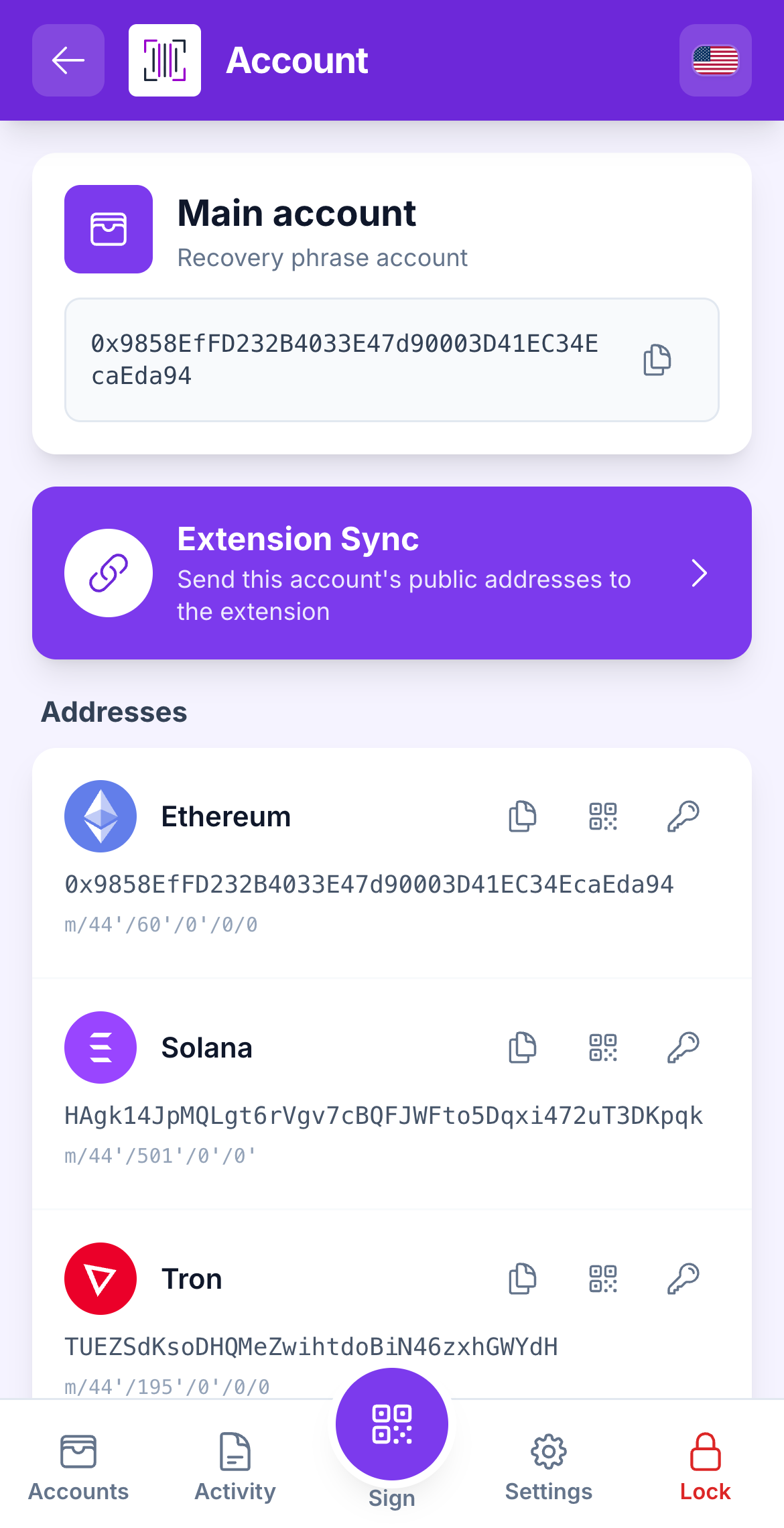
On the Accounts screen, tap an account card. If the screen says **Unlock to view addresses**, enter your master password: the Vault derives the addresses on the spot and never stores them in the clear.
All the addresses of one account.
{% endstep %}
{% step %}
### Read the list
One row per chain: **Ethereum** (also used by every EVM network), **Solana**, **Bitcoin** (two rows: *Payment* and *Ordinals*), **Tron**, **Sui**, **Stellar**.
The password unlock before addresses are derived.
*Bitcoin has two addresses on purpose.* Use **Payment** for money. **Ordinals** is a separate address for inscriptions, so a normal payment never spends a rare sat by accident.
{% endstep %}
{% step %}
### Copy an address
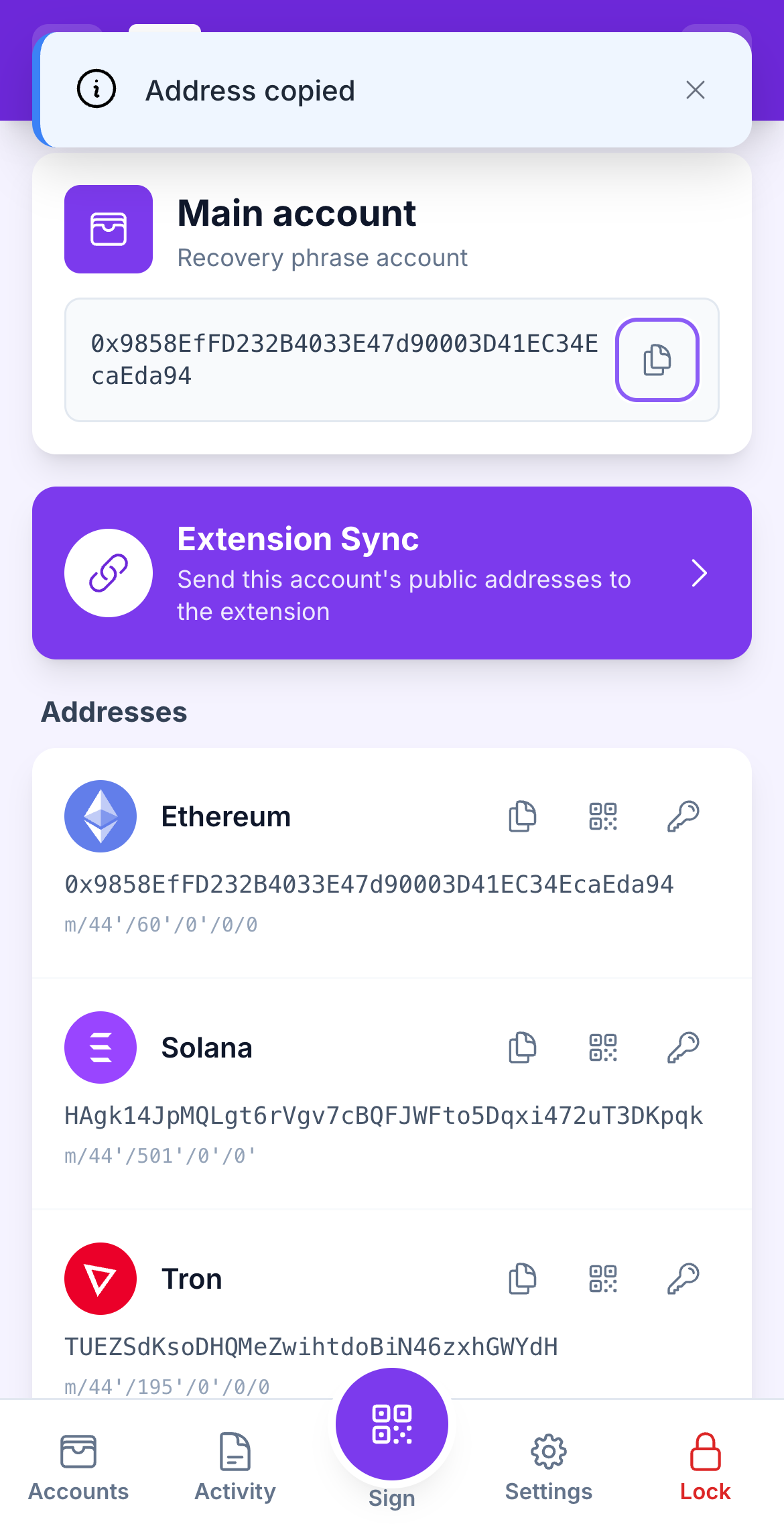
Tap **Copy** next to a row. The Vault confirms **Address copied**. Since the Vault is offline, the usual way to move an address to your computer is the sync QR, not copy-paste.
Copy, and the confirmation toast.
{% endstep %}
{% step %}
### Show a Receive QR
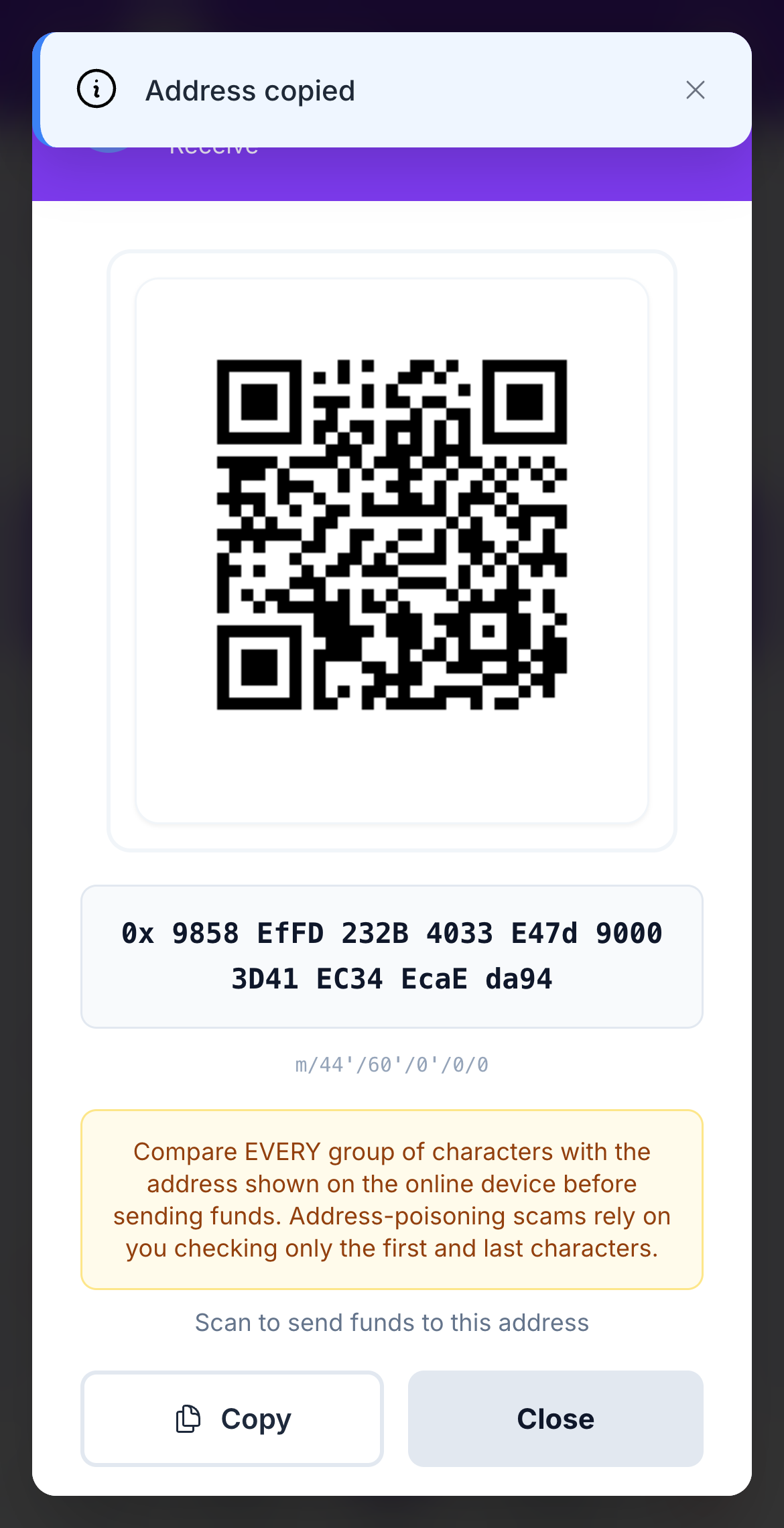
Tap **Receive** on a row. The address appears as a QR code that someone can scan to send you funds. Switch between **Address** (just the address) and **Payment URI** (address plus chain, for wallets that understand it).
The Receive QR for one address.
{% endstep %}
{% step %}
### Generate missing addresses (older accounts)
If an account was created before a chain was added, its row says **Address not generated yet**. Tap **Generate missing addresses**. This never changes your existing addresses; it only adds the new ones.
{% endstep %}
{% endstepper %}
{% hint style="info" %}
**Private-key accounts** show fewer rows. A hex key gives Ethereum and Tron; a Solana, Sui, Bitcoin or Stellar key gives only its own chain. That is a property of the key, not a limitation of the Vault.
{% endhint %}
{% hint style="warning" %}
**Before sharing an address to receive a large amount,** confirm it on the Vault with [Verify an address](/vault/verify-an-address.md). The Vault's screen is the source of truth.
{% endhint %}
## Learn more
* [Account detail](/vault/account-detail.md)
* [Bitcoin watch-only](/vault/bitcoin-watch-only.md)
* [Supported networks & chains](/reference/supported-networks.md)
---
# Agent Instructions
This documentation is published with GitBook. GitBook is the documentation platform designed so that both humans and AI agents can read, navigate, and reason over technical content effectively. Learn more at gitbook.com.
## Querying This Documentation
If you need additional information that is not directly available in this page, you can query the documentation dynamically by asking a question.
Perform an HTTP GET request on the current page URL with the `ask` query parameter, and the optional `goal` query parameter:
```
GET https://doc.lockerprotocol.com/vault/your-addresses.md?ask=&goal=
```
`ask` is the immediate question: it should be specific, self-contained, and written in natural language.
`goal` is optional and describes the broader end goal you are ultimately trying to accomplish on behalf of the user. GitBook uses it to tailor the answer towards what is most useful for that goal.
The response will contain a direct answer to the question and relevant excerpts and sources from the documentation.
Use this mechanism when the answer is not explicitly present in the current page, you need clarification or additional context, or you want to retrieve related documentation sections.