> For the complete documentation index, see [llms.txt](https://doc.lockerprotocol.com/llms.txt). Markdown versions of documentation pages are available by appending `.md` to page URLs; this page is available as [Markdown](https://doc.lockerprotocol.com/vault/sign-a-transaction/ethereum-and-evm.md).

# Ethereum & EVM review screen

What the Vault shows for transactions, messages, typed data and batches.

Ethereum and every EVM network (Base, Arbitrum, Polygon, BNB Chain, …) use the same kinds of requests. The Vault decodes each one on the device and shows it in a different layout.

## What you need

* A request from the extension or a dApp, scanned on the **Sign** tab.

{% stepper %}
{% step %}

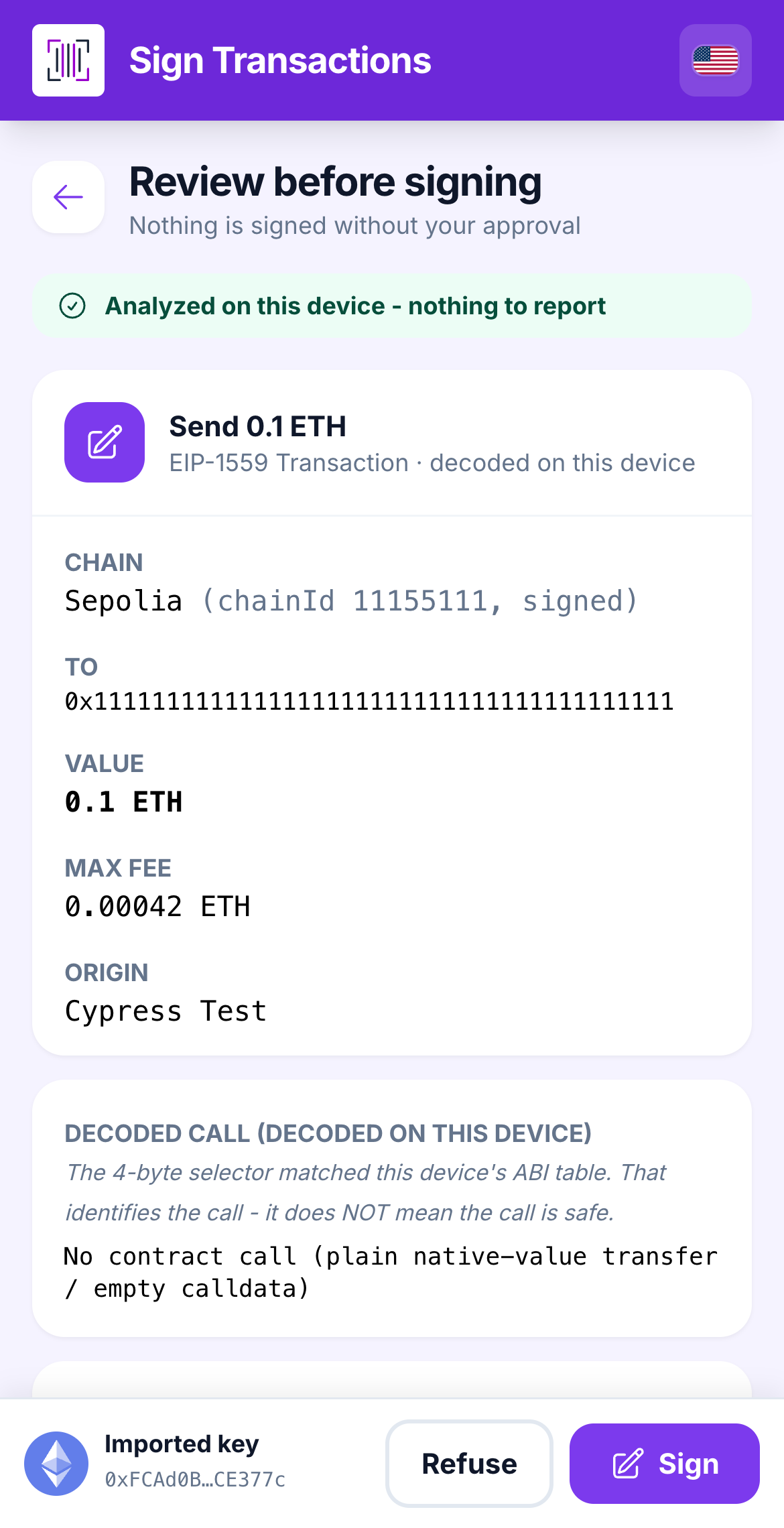
### A transaction

The Vault shows **Chain**, **To**, **Value**, **Max Fee**, **Gas Limit** and **Nonce**. If the transaction calls a contract, a **Decoded call** section names the function and its arguments (*decoded on this device*). The note reminds you: recognizing a call does not make it safe.

<figure><img src="https://3674012151-files.gitbook.io/~/files/v0/b/gitbook-x-prod.appspot.com/o/spaces%2FT2jyfPJ4rcVavAvTU9nL%2Fuploads%2Fgit-blob-9bfbb5b826381cc19859eab8f122a43183fdcc24%2F03-rule-read.png?alt=media" alt="tx review"><figcaption><p>A simple send, decoded on the Vault.</p></figcaption></figure>

Special cases get a headline:

* **TOKEN SPENDING APPROVAL**: you let an address move your tokens. **UNLIMITED** means *all of them, forever*, and comes with a checkbox.
* **ACCOUNT DELEGATION (EIP-7702)**: code will run *as your account*. Only sign for a target you fully trust. Checkbox too.
* **TOKEN TRANSFER**: the call moves tokens out to the address shown. An orange advisory, no checkbox.
  {% endstep %}

{% step %}

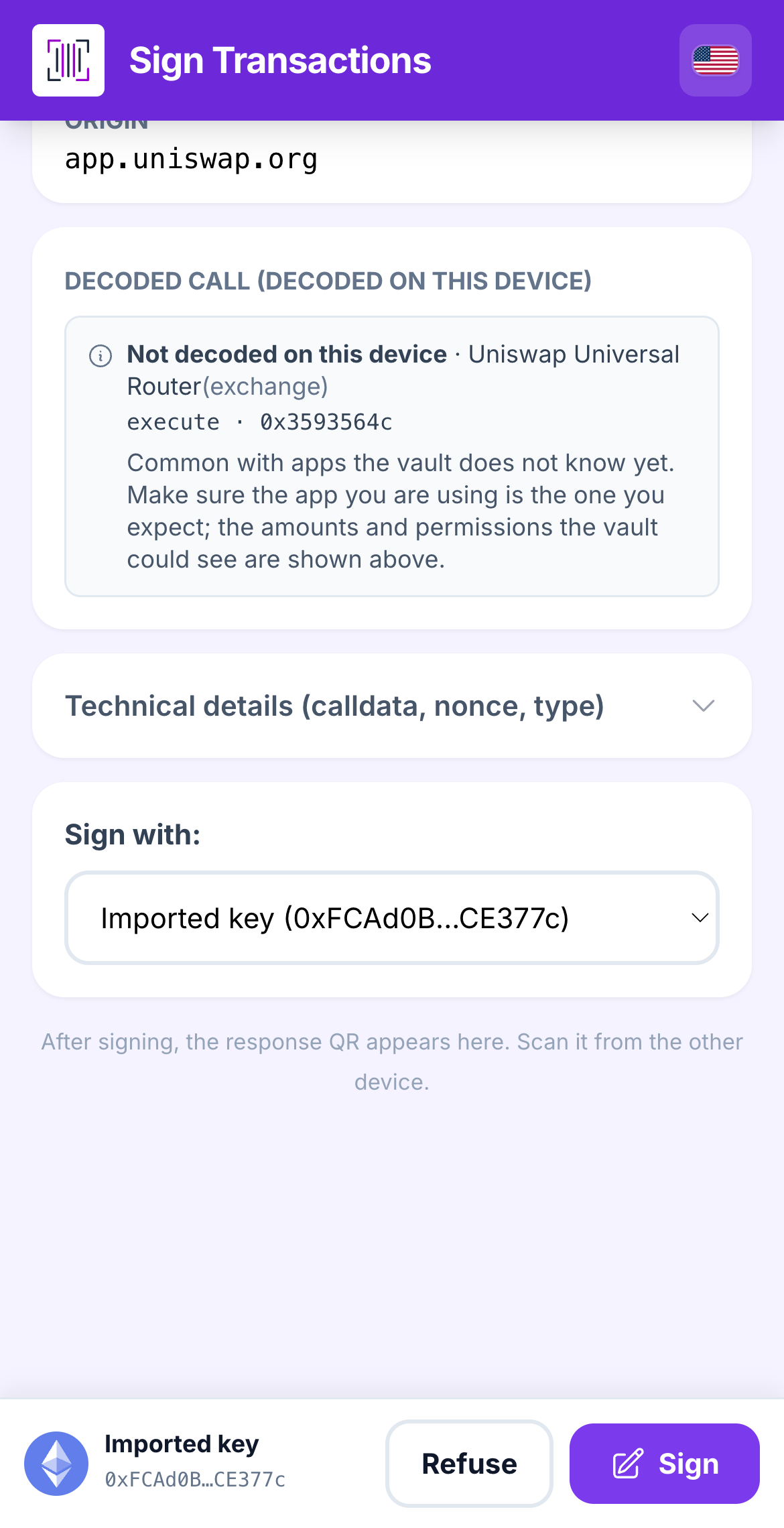
### A call the Vault does not decode

Most apps call functions the Vault has no table for. That is not a danger by itself, so the strip goes **grey**, not red, and a grey **not decoded** tag replaces the old red box. What the Vault still tells you:

* **Who is called.** A bundled name registry labels the contract: *Uniswap Universal Router (exchange)*, *1inch v6 (swap aggregator)*, *LI.FI (bridge)*, *Aave v3 (lending)*, *Lido (staking)*, *Seaport (NFT)*, *Permit2 (permission)*, *Hyperliquid bridge*, and so on. A name is information, never a verdict.
* **Which function.** The name and the 4-byte selector of the call, for example *execute · 0x3593564c*.
* **What was checked anyway:** the signing account, the network, the fees, and whether funds or permissions leave your account.

*Common with apps the vault does not know yet. Make sure the app you are using is the one you expect; the amounts and permissions the vault could see are shown above.* Sign is armed; nothing to tick.

<figure><img src="https://3674012151-files.gitbook.io/~/files/v0/b/gitbook-x-prod.appspot.com/o/spaces%2FT2jyfPJ4rcVavAvTU9nL%2Fuploads%2Fgit-blob-109aaace40870d16a95bc8ca5af7259b706eae1a%2F04-not-decoded.png?alt=media" alt="not decoded"><figcaption><p>A call to the Uniswap Universal Router the Vault does not decode: named, tagged grey, nothing to acknowledge.</p></figcaption></figure>
{% endstep %}

{% step %}

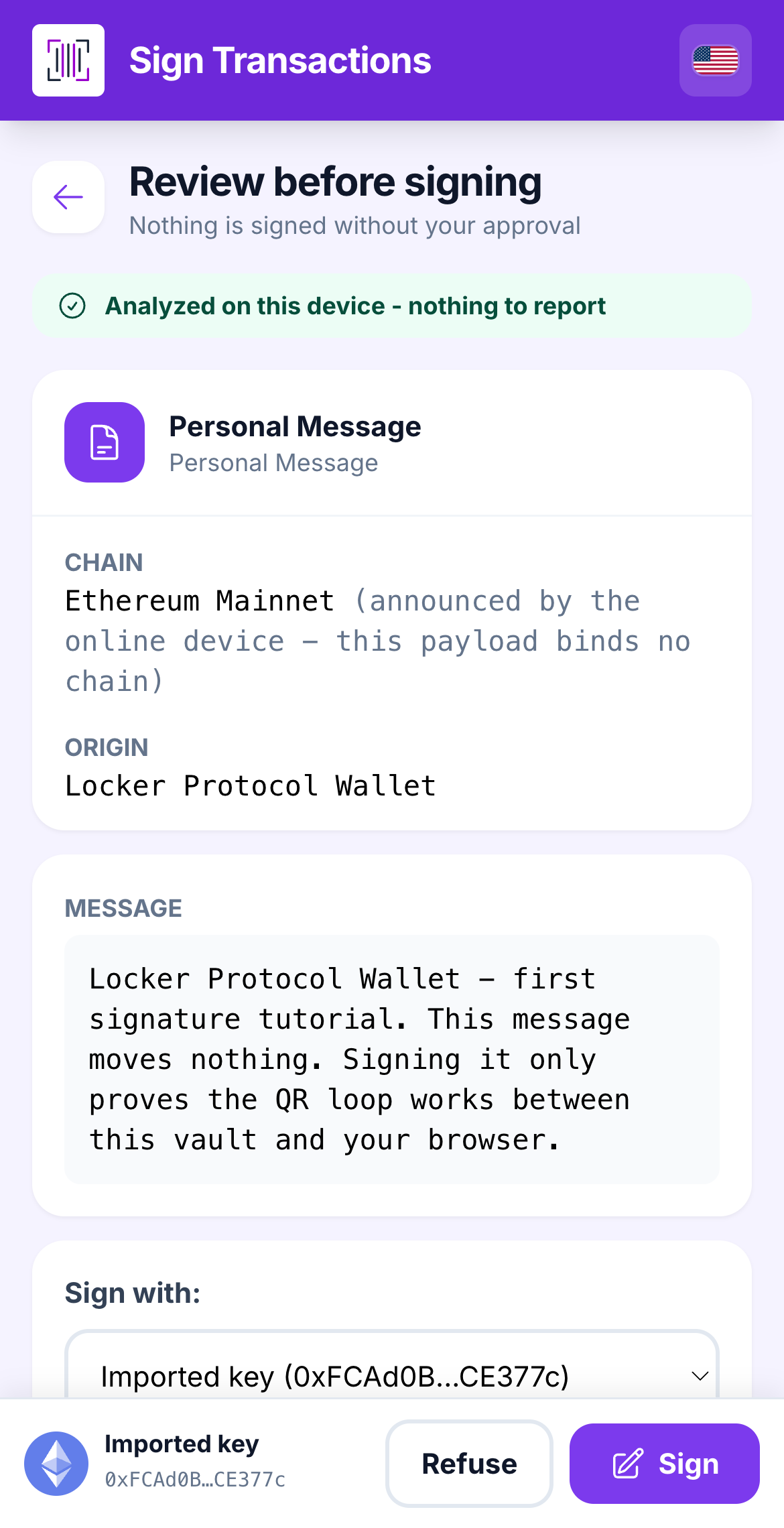
### A message (personal\_sign)

**Message to sign** shows the full text and the signing account. Signing a message moves no funds by itself, but many sites use it to log you in. Sign only text you understand. Binary or unreadable messages get an **Opaque** warning.

<figure><img src="https://3674012151-files.gitbook.io/~/files/v0/b/gitbook-x-prod.appspot.com/o/spaces%2FT2jyfPJ4rcVavAvTU9nL%2Fuploads%2Fgit-blob-6dd751b5ac23e746303e849e54e557102153990f%2F02-message-review.png?alt=media" alt="message review"><figcaption><p>A plain-text message, shown in full.</p></figcaption></figure>
{% endstep %}

{% step %}

### Typed data (EIP-712)

Structured messages show the **Domain**, the **Primary type** and every field. Watch for:

* **GASLESS TRANSFER AUTHORIZATION (EIP-3009)** — this signature *moves your tokens on its own*; anyone holding it can submit it.
* **CHAIN MISMATCH** — the QR announces one network but the signature is bound to another.
* **Verifying contract not in this device's known Locker list** — for Locker Protocol operations; confirm the address, then optionally **Add to my Lockers**.

<figure><img src="https://3674012151-files.gitbook.io/~/files/v0/b/gitbook-x-prod.appspot.com/o/spaces%2FT2jyfPJ4rcVavAvTU9nL%2Fuploads%2Fgit-blob-8ab9aa5ba5e62df566384f9b39db85e1e4fc0619%2F03-typed-data-review.png?alt=media" alt="typed data review"><figcaption><p>Typed data with its domain and fields.</p></figcaption></figure>
{% endstep %}
{% endstepper %}

{% hint style="info" %}
**Batches (EIP-5792).** Some dApps send several transactions in one session. The Vault lists *every* transaction, one after another, and the button reads **Sign the N transactions**. The strip follows the worst item: one undecoded call turns it grey, one red flag anywhere in the batch locks the whole batch.
{% endhint %}

## Learn more

* [Risk warnings explained](/reference/risk-warnings-explained.md)
* [Revoke a token approval](/browser-extension/revoke-an-approval.md)


---

# Agent Instructions
This documentation is published with GitBook. GitBook is the documentation platform designed so that both humans and AI agents can read, navigate, and reason over technical content effectively. Learn more at gitbook.com.

## Querying This Documentation
If you need additional information that is not directly available in this page, you can query the documentation dynamically by asking a question.

Perform an HTTP GET request on the current page URL with the `ask` query parameter, and the optional `goal` query parameter:

```
GET https://doc.lockerprotocol.com/vault/sign-a-transaction/ethereum-and-evm.md?ask=<question>&goal=<endgoal>
```

`ask` is the immediate question: it should be specific, self-contained, and written in natural language.
`goal` is optional and describes the broader end goal you are ultimately trying to accomplish on behalf of the user. GitBook uses it to tailor the answer towards what is most useful for that goal.

The response will contain a direct answer to the question and relevant excerpts and sources from the documentation.

Use this mechanism when the answer is not explicitly present in the current page, you need clarification or additional context, or you want to retrieve related documentation sections.