> For the complete documentation index, see [llms.txt](https://doc.lockerprotocol.com/llms.txt). Markdown versions of documentation pages are available by appending `.md` to page URLs; this page is available as [Markdown](https://doc.lockerprotocol.com/vault/sign-a-transaction/bitcoin.md).
# Bitcoin review screen
PSBT details, ordinals warnings and message signing.
Bitcoin requests arrive as a **PSBT** (partially signed Bitcoin transaction). The Vault decodes it fully on the device.
{% stepper %}
{% step %}
### The PSBT summary
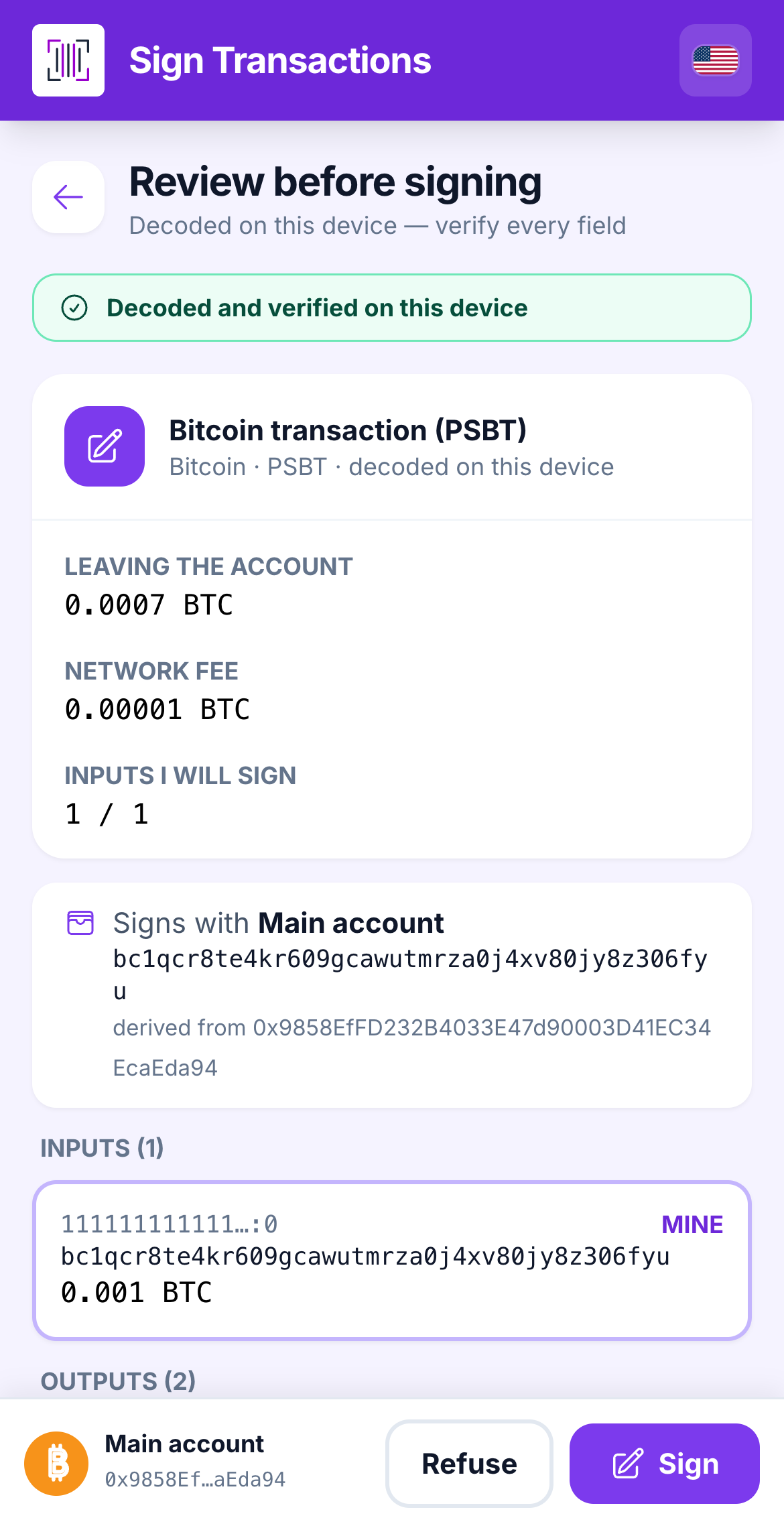
The headline is **Bitcoin transaction (PSBT)**. You see **Leaving the account** (the total that leaves), the **Network fee**, then the list of **Inputs** and **Outputs**. Each output is tagged **MINE**, **change** or **external** so you can spot exactly where money goes.
Inputs, outputs and fee, decoded on the Vault.
{% endstep %}
{% step %}
### Ordinals and unknown fees
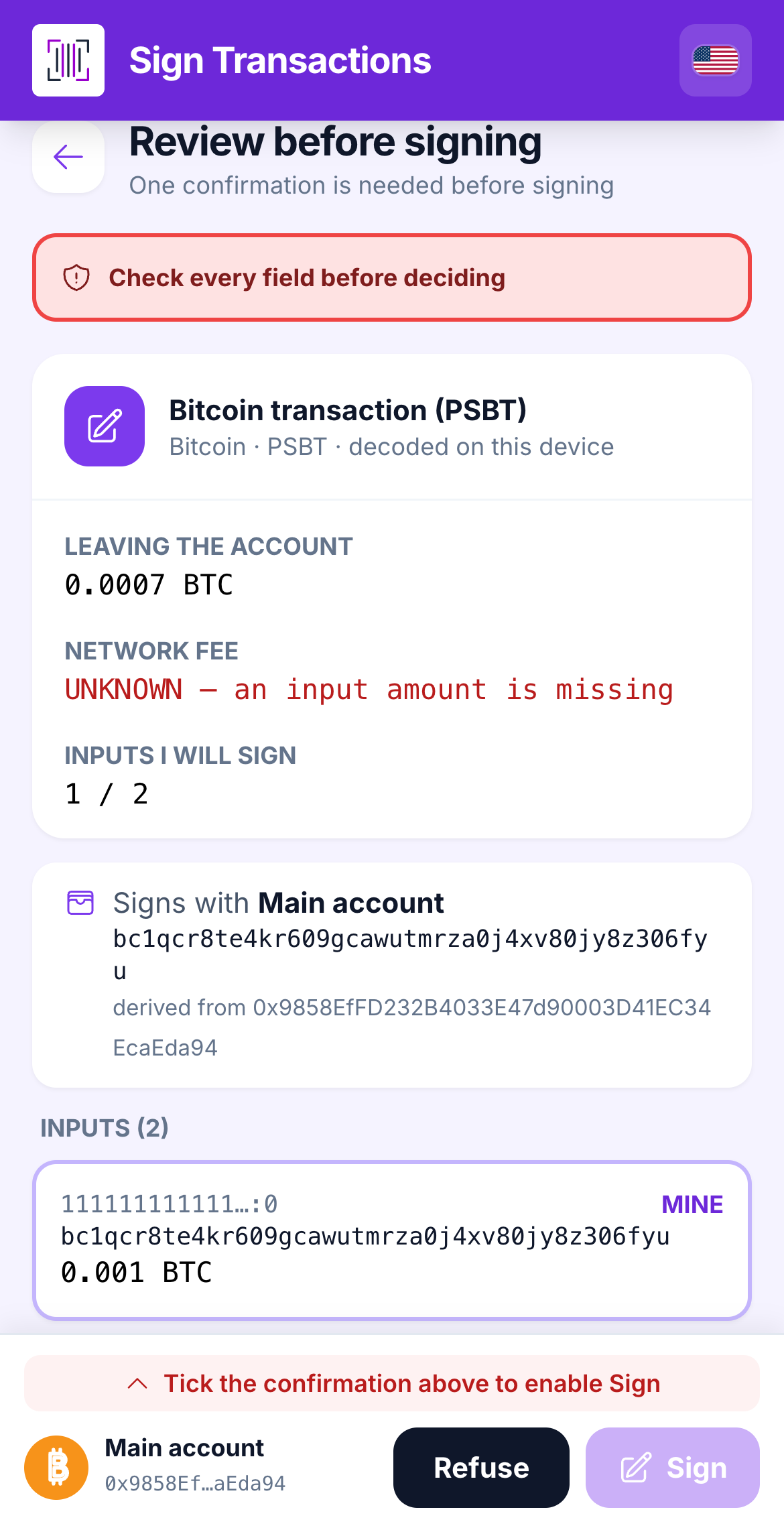
If an input comes from your **Ordinals** address, the Vault warns you: spending it could destroy an inscription. If an input amount is missing from the PSBT, the fee shows **UNKNOWN** and you must tick *I understand the fee cannot be verified on this device* before signing.
The fee-unknown warning and its acknowledgement box.
{% endstep %}
{% step %}
### A Bitcoin message
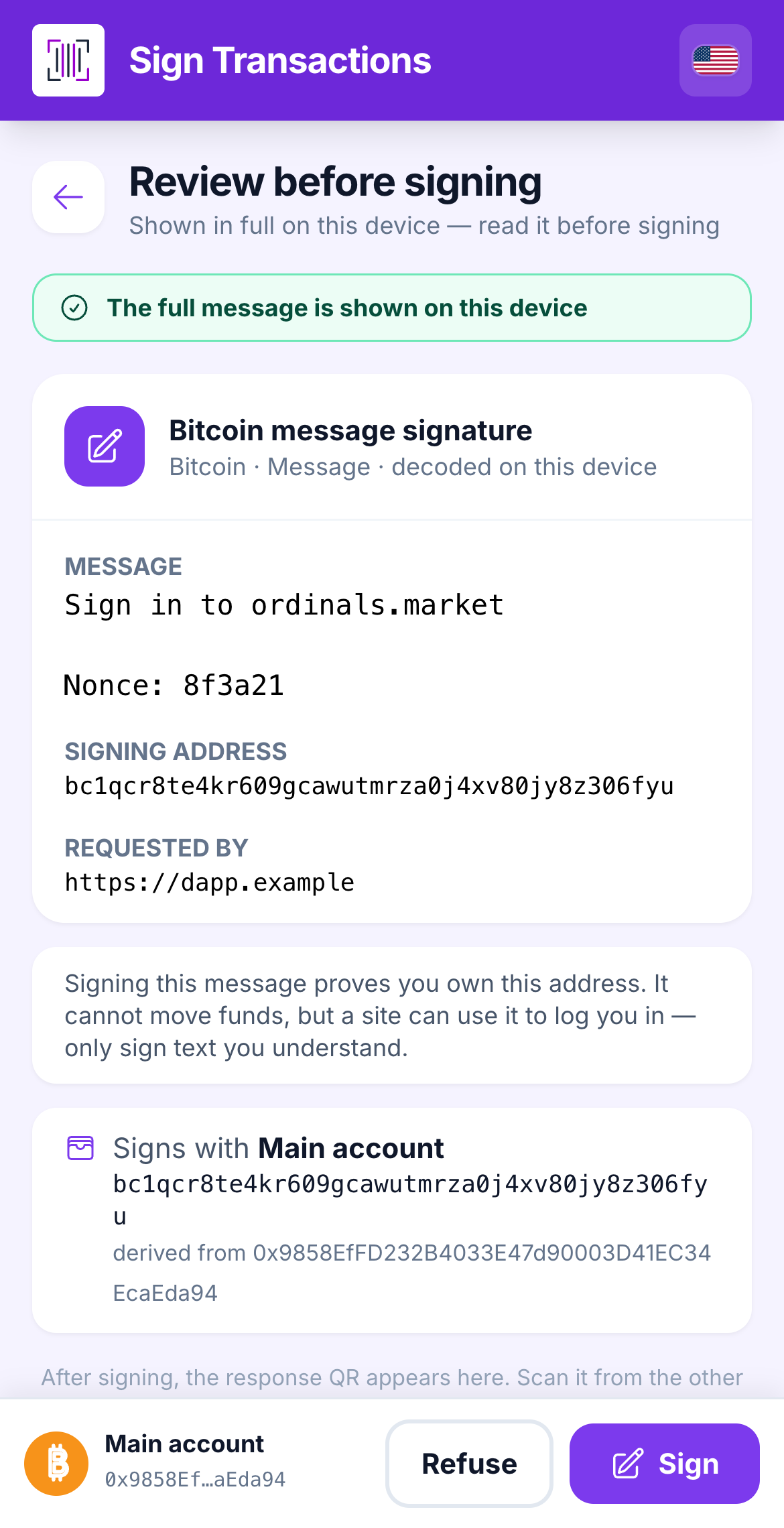
**Bitcoin message signature** shows the full text, the **Signing address** and who requested it. Signing proves you own the address; it cannot move funds, but a site can use it to log you in.
A message signature request.
{% endstep %}
{% endstepper %}
{% hint style="warning" %}
**"No input belongs to this account":** the PSBT spends coins this Vault does not hold. Signing is refused. Import the right account or refuse the request.
{% endhint %}
## Learn more
* [Send Bitcoin from the extension](/browser-extension/send/bitcoin.md)
* [Bitcoin watch-only](/vault/bitcoin-watch-only.md)
---
# Agent Instructions
This documentation is published with GitBook. GitBook is the documentation platform designed so that both humans and AI agents can read, navigate, and reason over technical content effectively. Learn more at gitbook.com.
## Querying This Documentation
If you need additional information that is not directly available in this page, you can query the documentation dynamically by asking a question.
Perform an HTTP GET request on the current page URL with the `ask` query parameter, and the optional `goal` query parameter:
```
GET https://doc.lockerprotocol.com/vault/sign-a-transaction/bitcoin.md?ask=&goal=
```
`ask` is the immediate question: it should be specific, self-contained, and written in natural language.
`goal` is optional and describes the broader end goal you are ultimately trying to accomplish on behalf of the user. GitBook uses it to tailor the answer towards what is most useful for that goal.
The response will contain a direct answer to the question and relevant excerpts and sources from the documentation.
Use this mechanism when the answer is not explicitly present in the current page, you need clarification or additional context, or you want to retrieve related documentation sections.