> For the complete documentation index, see [llms.txt](https://doc.lockerprotocol.com/llms.txt). Markdown versions of documentation pages are available by appending `.md` to page URLs; this page is available as [Markdown](https://doc.lockerprotocol.com/start-here/safety-rules.md).
# Safety rules
Five rules that keep your money safe. Read them twice.
Locker Protocol does the hard part for you: your keys physically cannot leave the Vault. These five habits cover the rest.
## Rule 1 — The Vault never goes online
Airplane mode on. Wi-Fi off. Bluetooth off. Do not plug it into a computer. If the Vault shows the red banner **INTERNET DETECTED**, disconnect right away. The only exception is the very first install, and a rare reconnect if the app tells you its offline copy is incomplete.
## Rule 2 — Compare the address, group by group
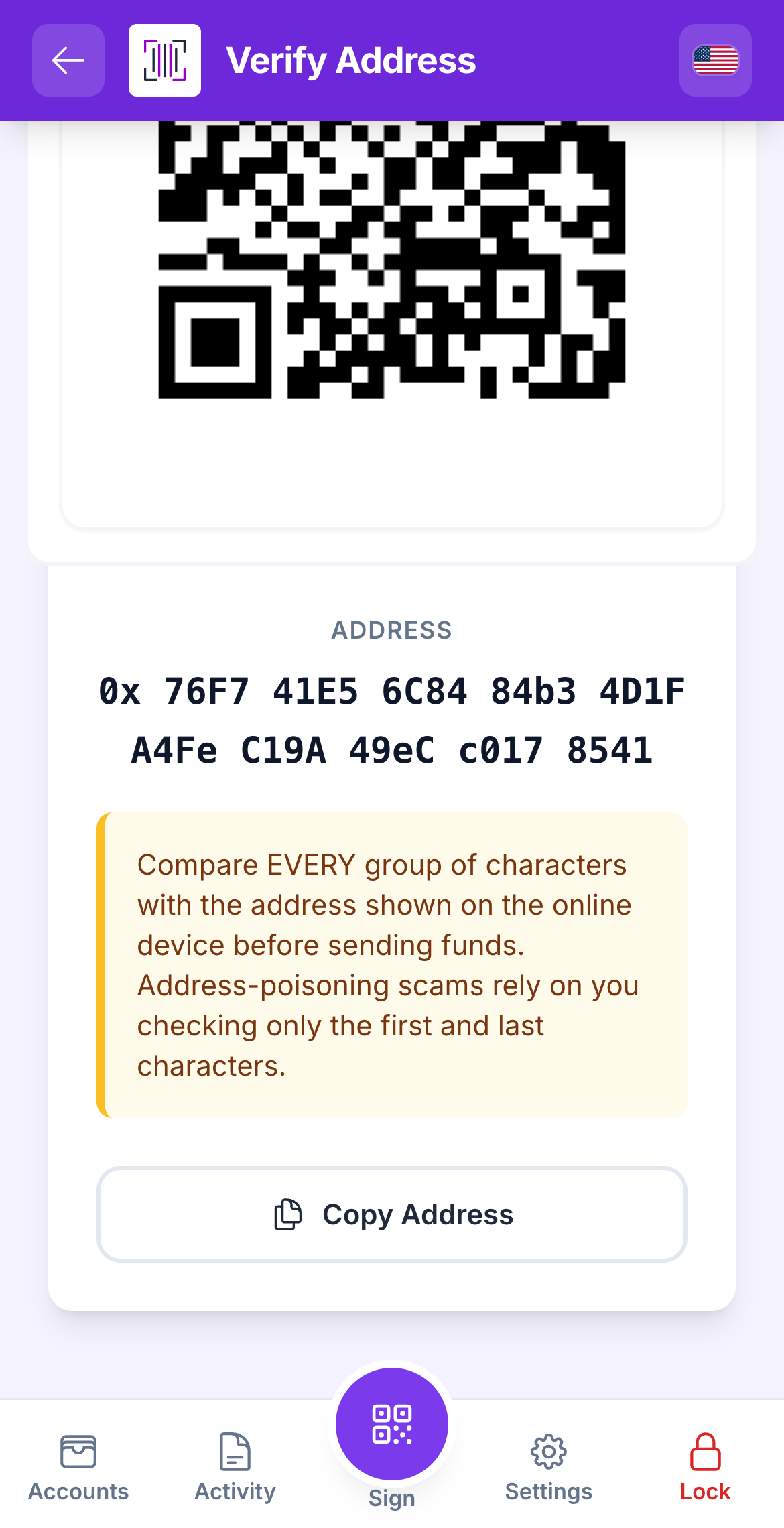
Use Verify Address on the Vault and compare every chunk with the other screen.
Before you send money, use **Verify Address** on the Vault and compare it with the address on the computer, a few characters at a time. Scammers make addresses that look almost the same. "Almost" is not the same.
## Rule 3 — Read the Vault's screen before you tap Sign
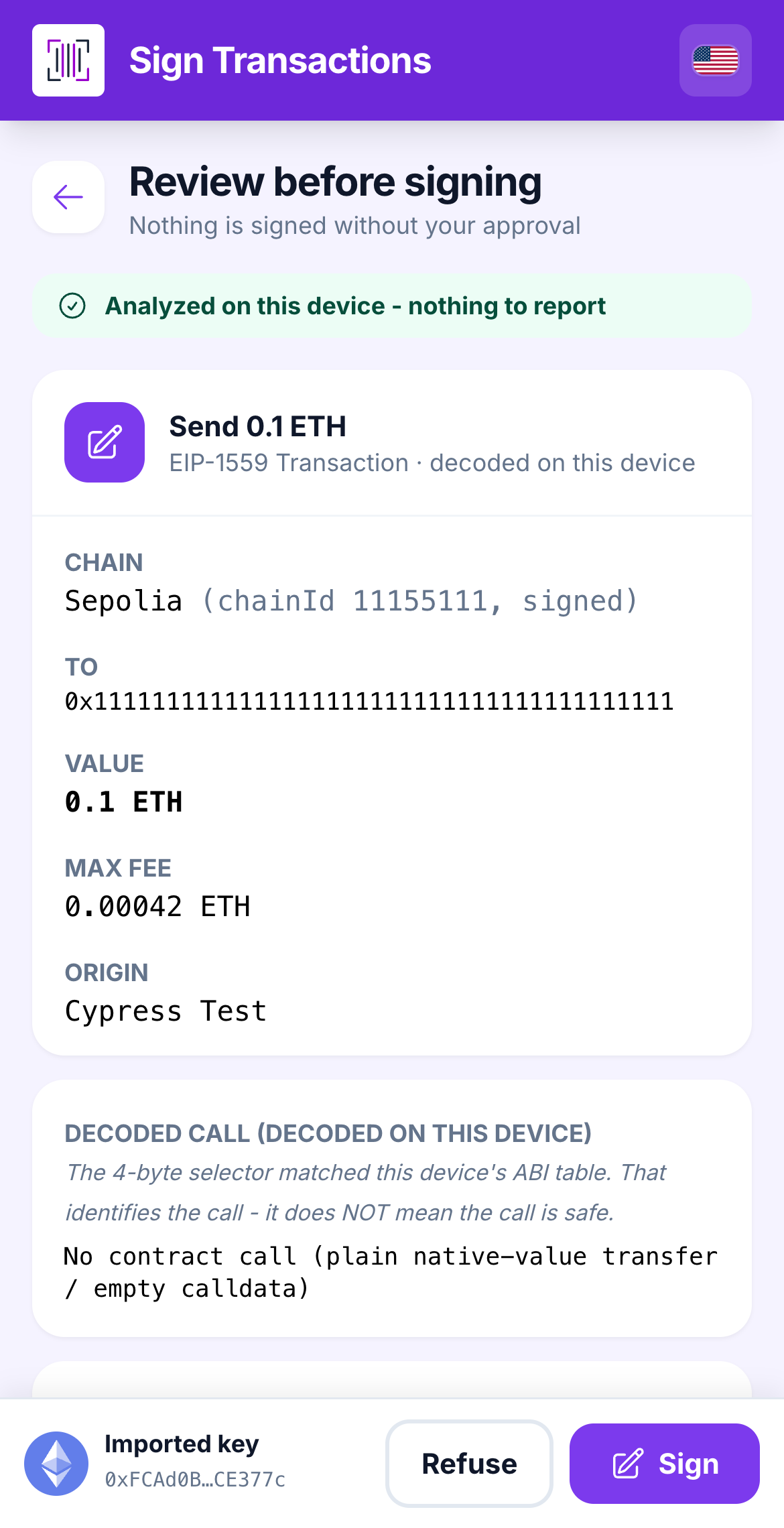
The Vault's review screen is the only one that matters.
The computer can be tricked by a bad website. The Vault cannot, because it decodes the request itself. If the amount, the recipient or the network is not what you expected, tap **Refuse**. Nothing happens until you sign.
## Rule 4 — Your secret phrase lives on paper
The 12 or 24 words are your account. Anyone who has them has your money. Write them on paper and keep it somewhere safe. No screenshot, no photo, no cloud note. The Vault can also make an **encrypted QR backup** for a second copy.
## Rule 5 — Nobody will ever ask for your phrase
Not us, not "support", not a friend of a friend on Discord. If someone asks for your secret phrase, your private key or your password, they are trying to steal from you. Every time.
{% hint style="info" %}
**One more:** the Vault erases everything after **50 wrong password attempts in a row**. That protects you if the device is stolen, so keep your paper backup safe and your password somewhere you will not forget it.
{% endhint %}
## Learn more
* [Security model](/reference/security-model.md)
* [Risk warnings explained](/reference/risk-warnings-explained.md)
* [Export a paper / QR backup](/vault/export-a-qr-backup.md)
---
# Agent Instructions
This documentation is published with GitBook. GitBook is the documentation platform designed so that both humans and AI agents can read, navigate, and reason over technical content effectively. Learn more at gitbook.com.
## Querying This Documentation
If you need additional information that is not directly available in this page, you can query the documentation dynamically by asking a question.
Perform an HTTP GET request on the current page URL with the `ask` query parameter, and the optional `goal` query parameter:
```
GET https://doc.lockerprotocol.com/start-here/safety-rules.md?ask=&goal=
```
`ask` is the immediate question: it should be specific, self-contained, and written in natural language.
`goal` is optional and describes the broader end goal you are ultimately trying to accomplish on behalf of the user. GitBook uses it to tailor the answer towards what is most useful for that goal.
The response will contain a direct answer to the question and relevant excerpts and sources from the documentation.
Use this mechanism when the answer is not explicitly present in the current page, you need clarification or additional context, or you want to retrieve related documentation sections.