> For the complete documentation index, see [llms.txt](https://doc.lockerprotocol.com/llms.txt). Markdown versions of documentation pages are available by appending `.md` to page URLs; this page is available as [Markdown](https://doc.lockerprotocol.com/browser-extension/swap.md).
# Swap
Exchange one token for another on the same network.
A swap trades one token for another on the same network, through an aggregator that finds the best route (LI.FI on EVM, Jupiter on Solana, SunSwap on Tron, path payments on Stellar).
## What you need
* A balance of the token you sell, plus a little of the network's coin for fees.
* Your Vault for one or two signatures.
{% stepper %}
{% step %}
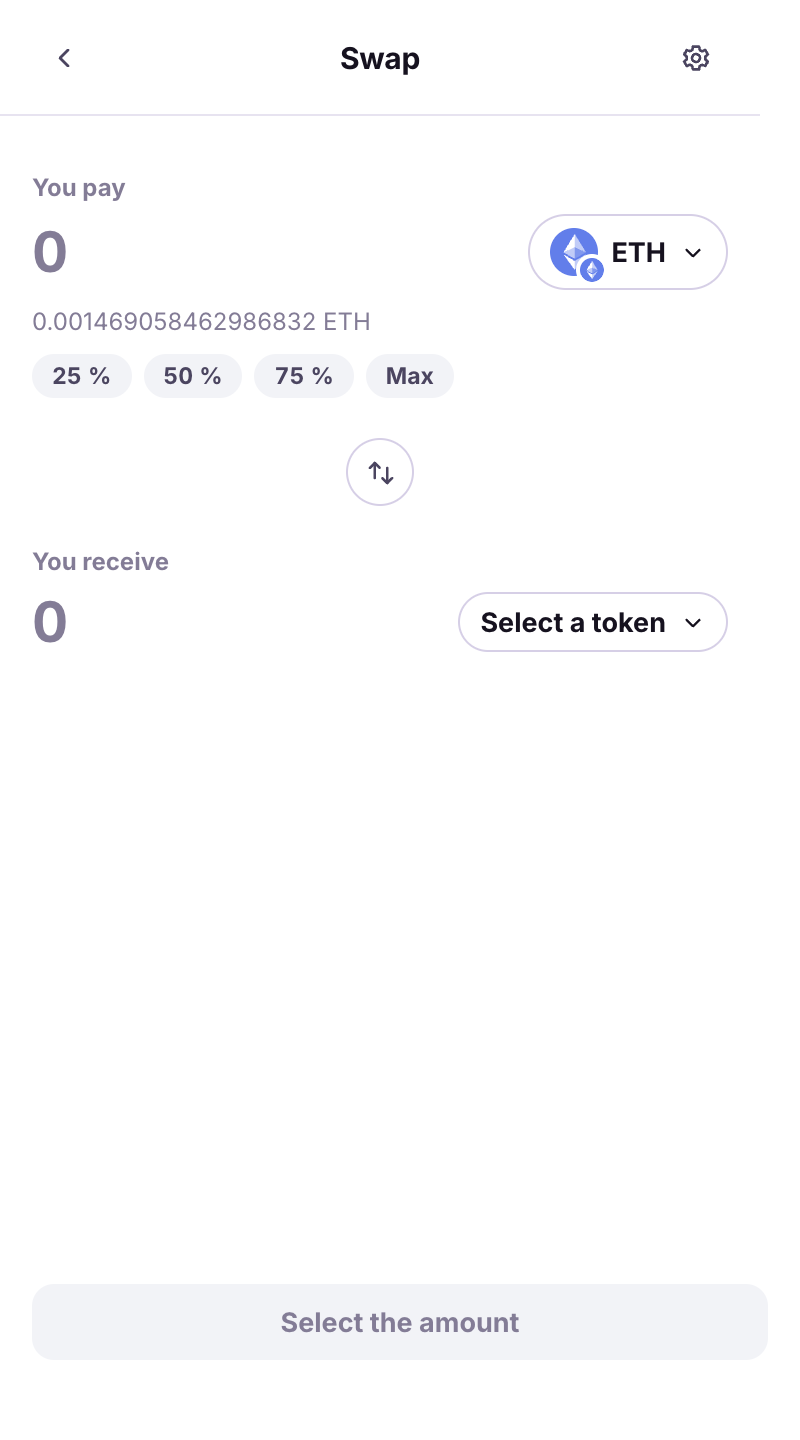
### Fill in "You pay" and "You receive"
Home → **Swap**. Pick the token you sell and the amount (**Max** available), then **Select a token** to receive. Search by name or paste an address. *route not guaranteed* next to a token means the aggregator may not find a path.
The swap form.
{% endstep %}
{% step %}
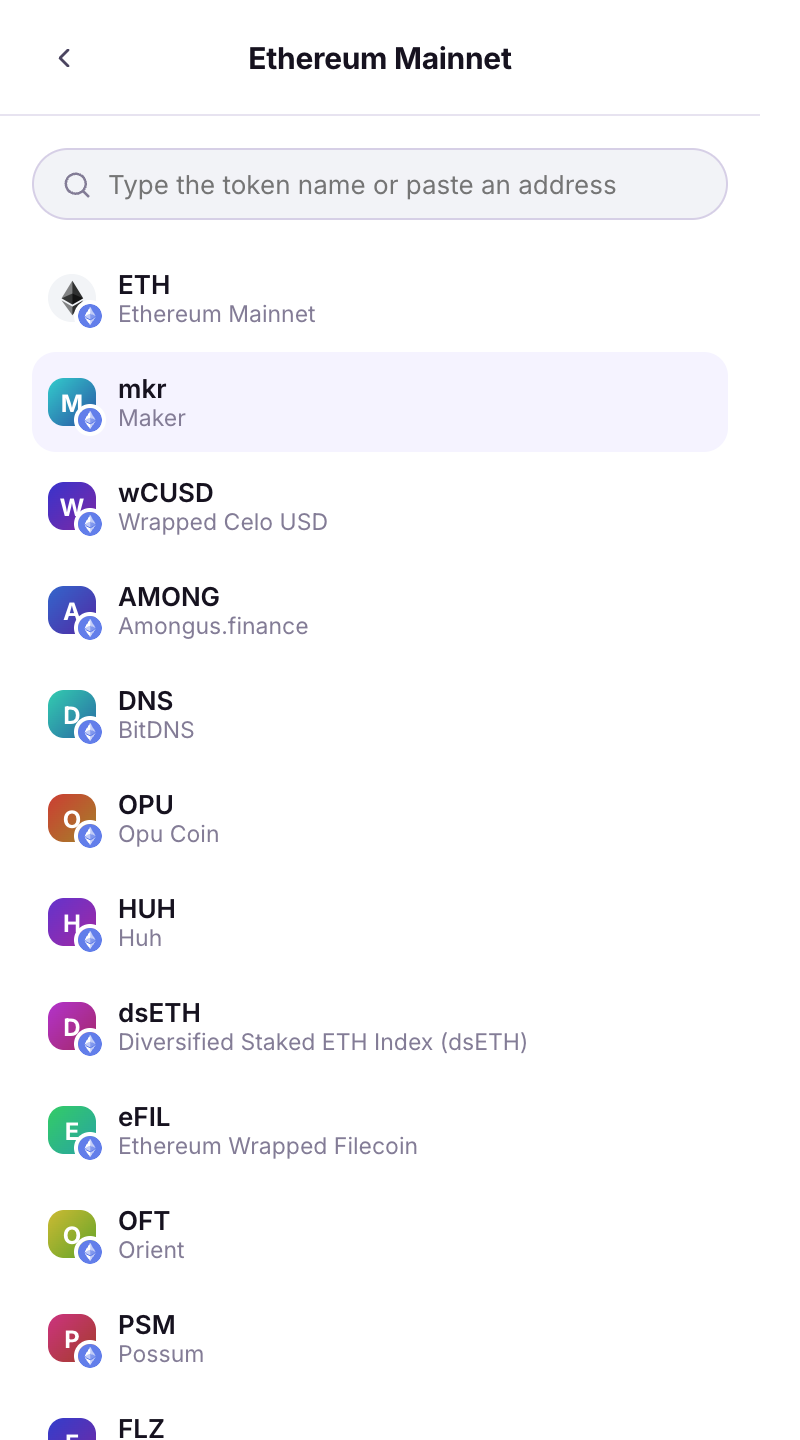
### Choose the network and token
**Select a network** narrows the token list; the badge on each logo shows its network. *No swap route on this network* means pick a mainnet token.
The token picker with network badges.
{% endstep %}
{% step %}
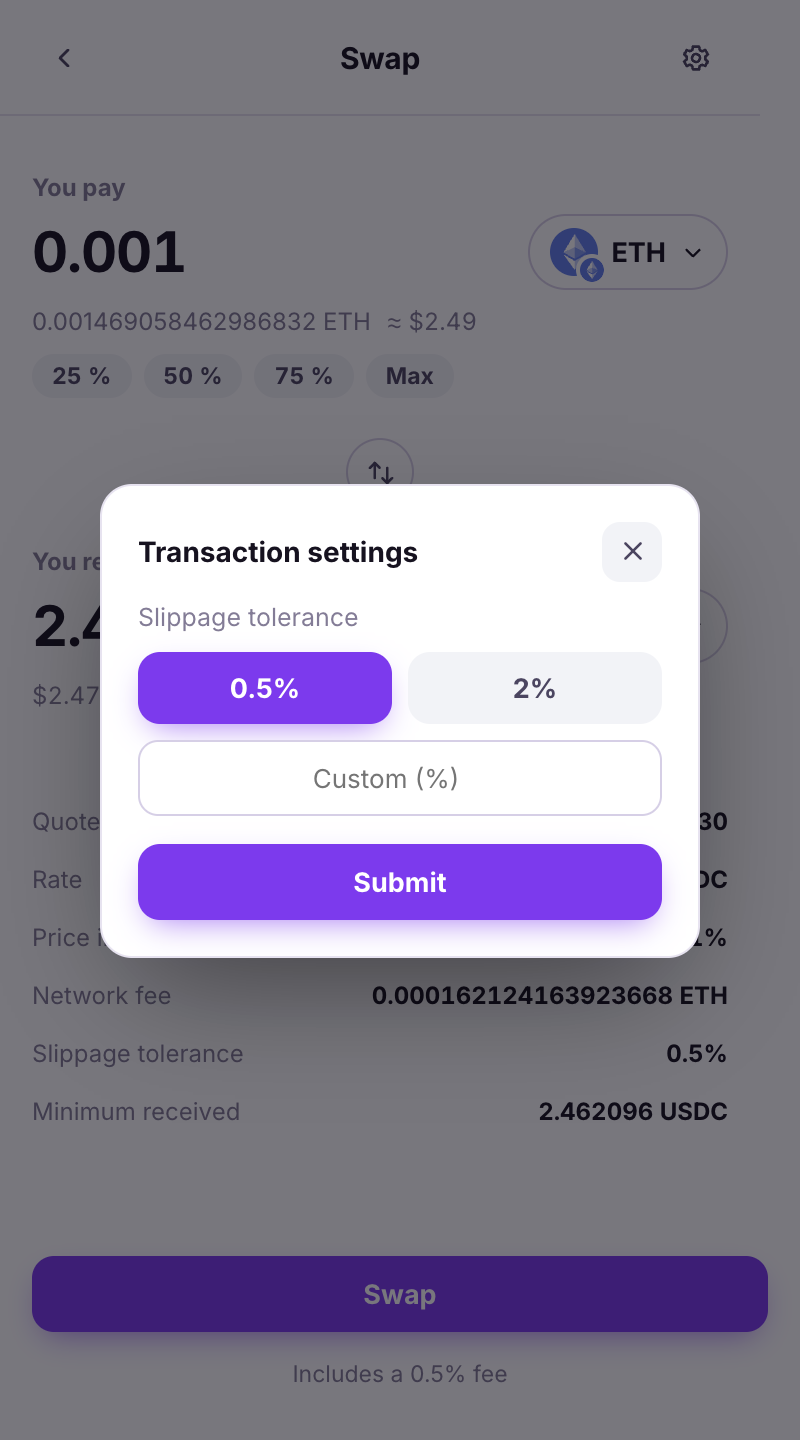
### Slippage
**Transaction settings → Slippage tolerance**: how much worse than the quote you accept. The default is fine; a **Custom (%)** value is for illiquid tokens.
Slippage settings.
{% endstep %}
{% step %}
### Approval (tokens only)
Selling a token (not the network's coin) needs an *allowance* first. Either it is bundled (*Includes the token approval - one signature covers both*), or it is a separate step: **Step 1 of 2 · Allowance** then **Step 2 of 2 · Swap**. *Approved. Now sign the swap itself - this is the second of two signatures.*
{% endstep %}
{% step %}
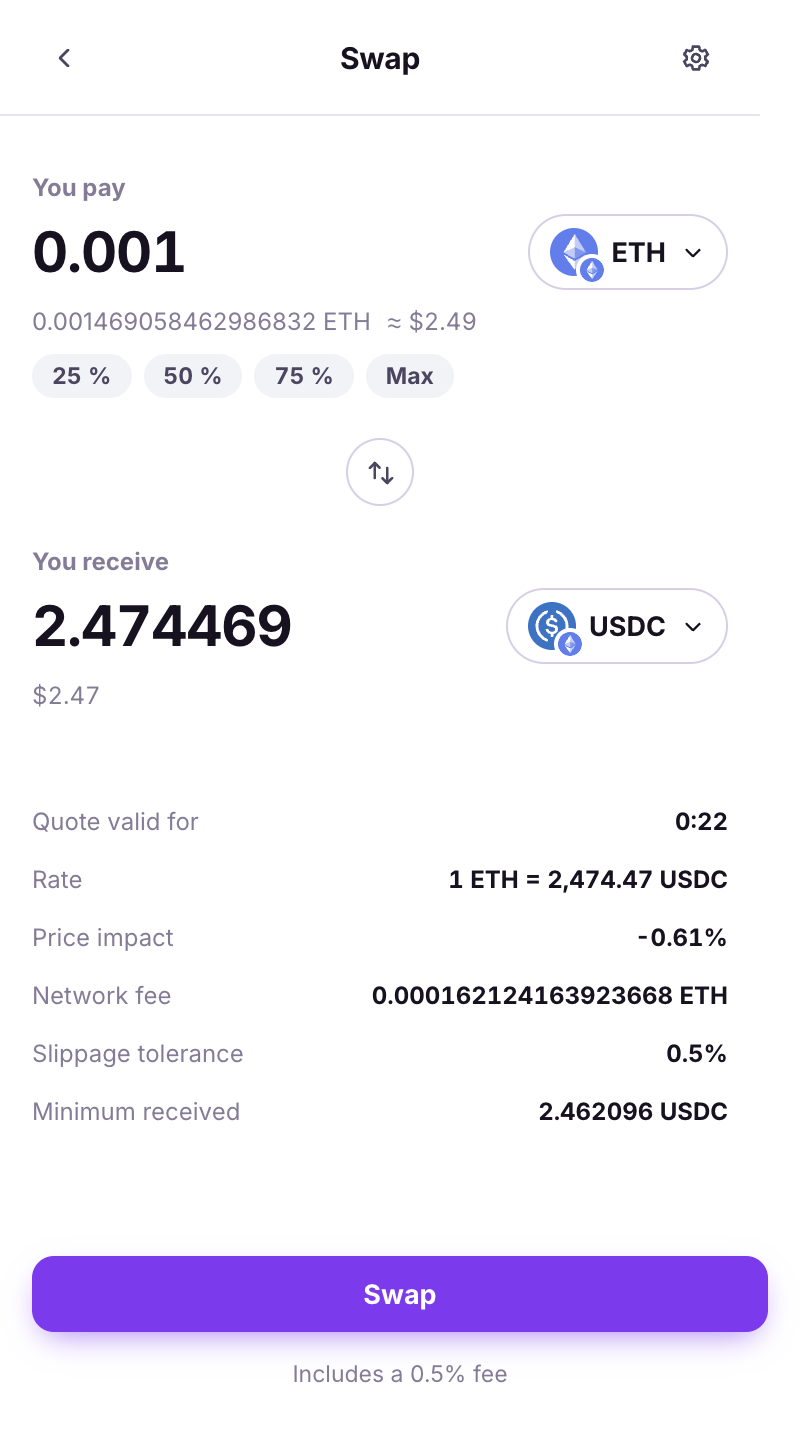
### The quote, then sign
The summary shows **Rate**, **Minimum received**, **Price impact**, **Network fee**, and *Includes a X% fee*. **Quote valid for** counts down; an expired quote is refreshed and you are asked to check it again. **Submit**, then the QR loop with the Vault.
When no quote can be built, the wallet names the reason rather than staying silent: no route on this network, an amount below the routes' minimum (with the figure in dollars), or a route that could not be built right now.
The quote summary.
{% endstep %}
{% endstepper %}
{% hint style="warning" %}
*The approval itself was broadcast and stands on-chain. Only the trade could not be staged - your funds did not move.* If you see this, retry the swap; the allowance is already in place. You can also [revoke it](/browser-extension/revoke-an-approval.md).
{% endhint %}
---
# Agent Instructions
This documentation is published with GitBook. GitBook is the documentation platform designed so that both humans and AI agents can read, navigate, and reason over technical content effectively. Learn more at gitbook.com.
## Querying This Documentation
If you need additional information that is not directly available in this page, you can query the documentation dynamically by asking a question.
Perform an HTTP GET request on the current page URL with the `ask` query parameter, and the optional `goal` query parameter:
```
GET https://doc.lockerprotocol.com/browser-extension/swap.md?ask=&goal=
```
`ask` is the immediate question: it should be specific, self-contained, and written in natural language.
`goal` is optional and describes the broader end goal you are ultimately trying to accomplish on behalf of the user. GitBook uses it to tailor the answer towards what is most useful for that goal.
The response will contain a direct answer to the question and relevant excerpts and sources from the documentation.
Use this mechanism when the answer is not explicitly present in the current page, you need clarification or additional context, or you want to retrieve related documentation sections.