> For the complete documentation index, see [llms.txt](https://doc.lockerprotocol.com/llms.txt). Markdown versions of documentation pages are available by appending `.md` to page URLs; this page is available as [Markdown](https://doc.lockerprotocol.com/browser-extension/sign-what-a-dapp-asks.md).
# Sign what a dApp asks (the overlay)
The overlay shows exactly what the site wants signed, then runs the QR loop.
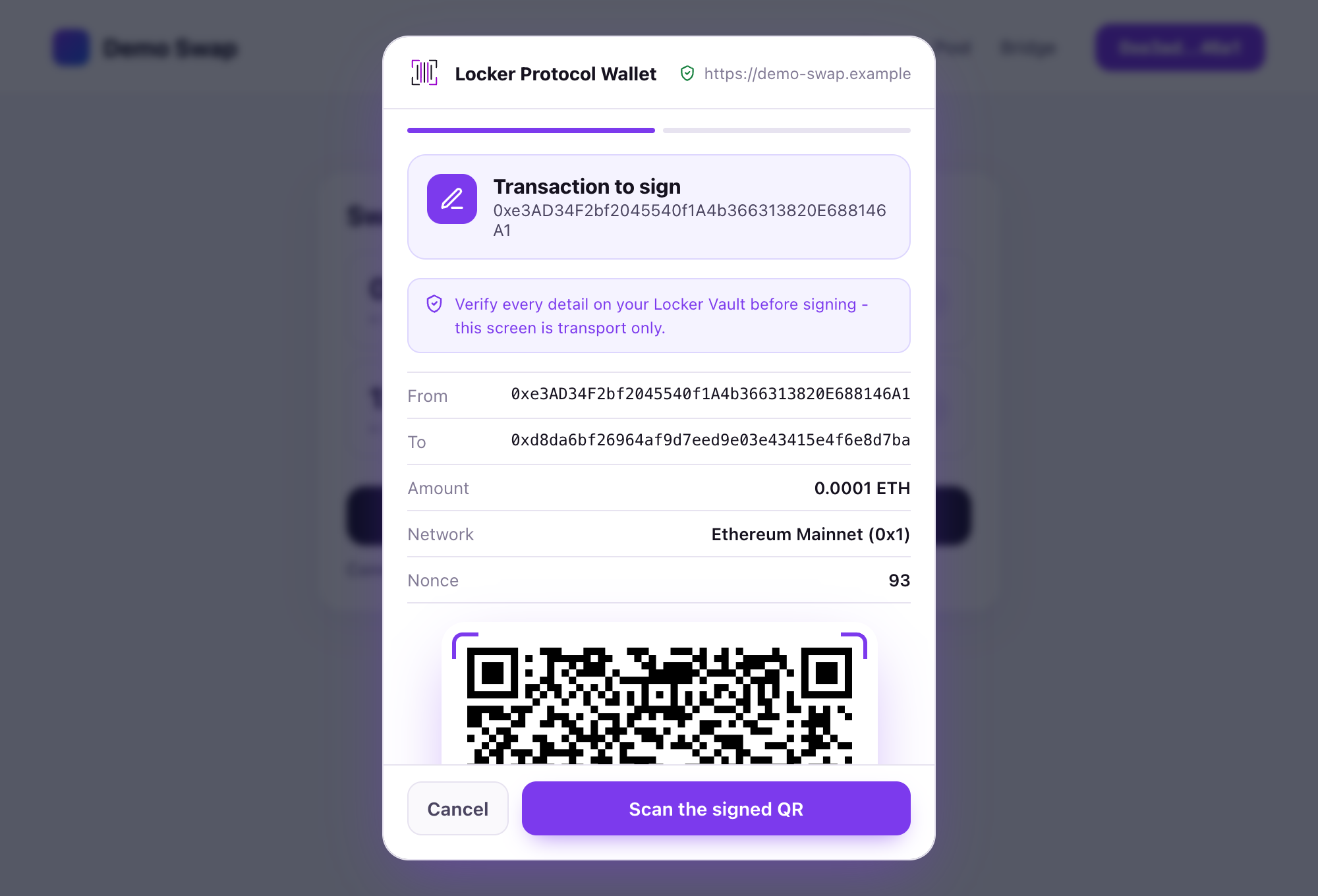
When a connected site asks for a signature, the wallet draws an **overlay** on top of the page. Its banner says it all: *Verify every detail on your Locker Vault before signing - this screen is transport only.*
{% stepper %}
{% step %}
### A transaction
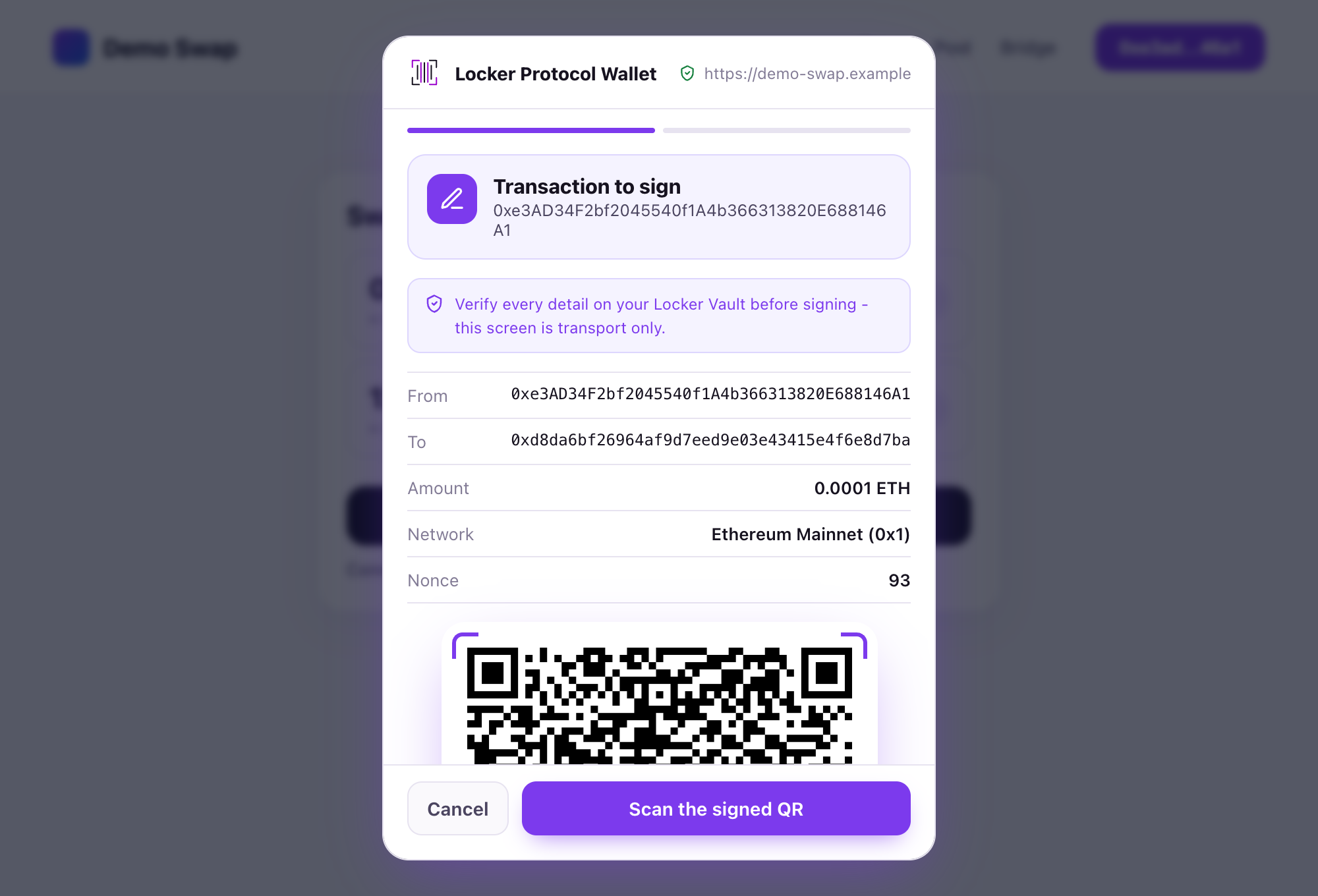
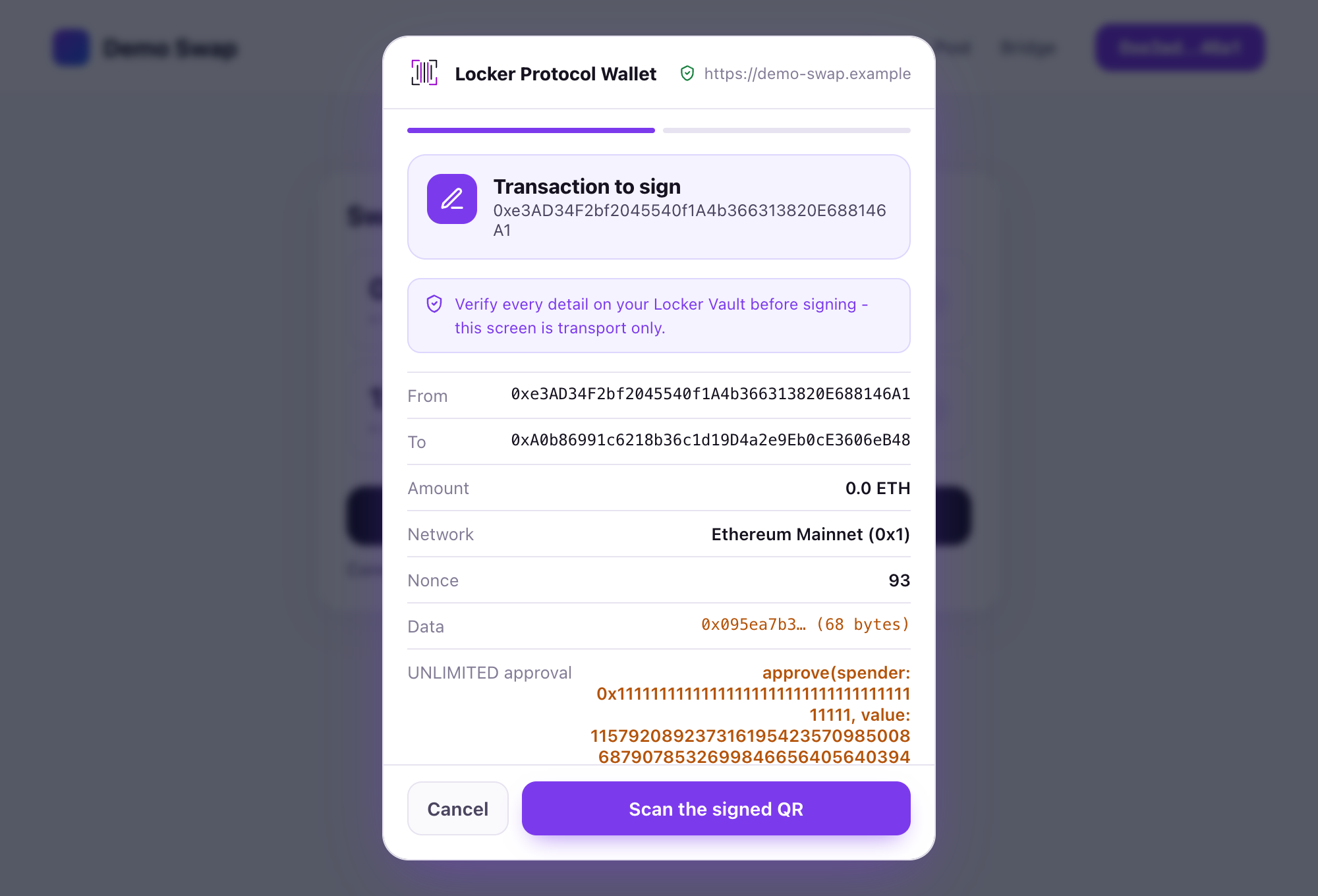
**Transaction to sign**: **From**, **To**, **Amount**, **Network**, **Nonce**, **Max fee**, **Data**. For known contracts, **Decoded call** names the function. A red **UNLIMITED approval** label means the site wants permission to move *all* of a token, forever.
A transaction request in the overlay.
{% endstep %}
{% step %}
### A message
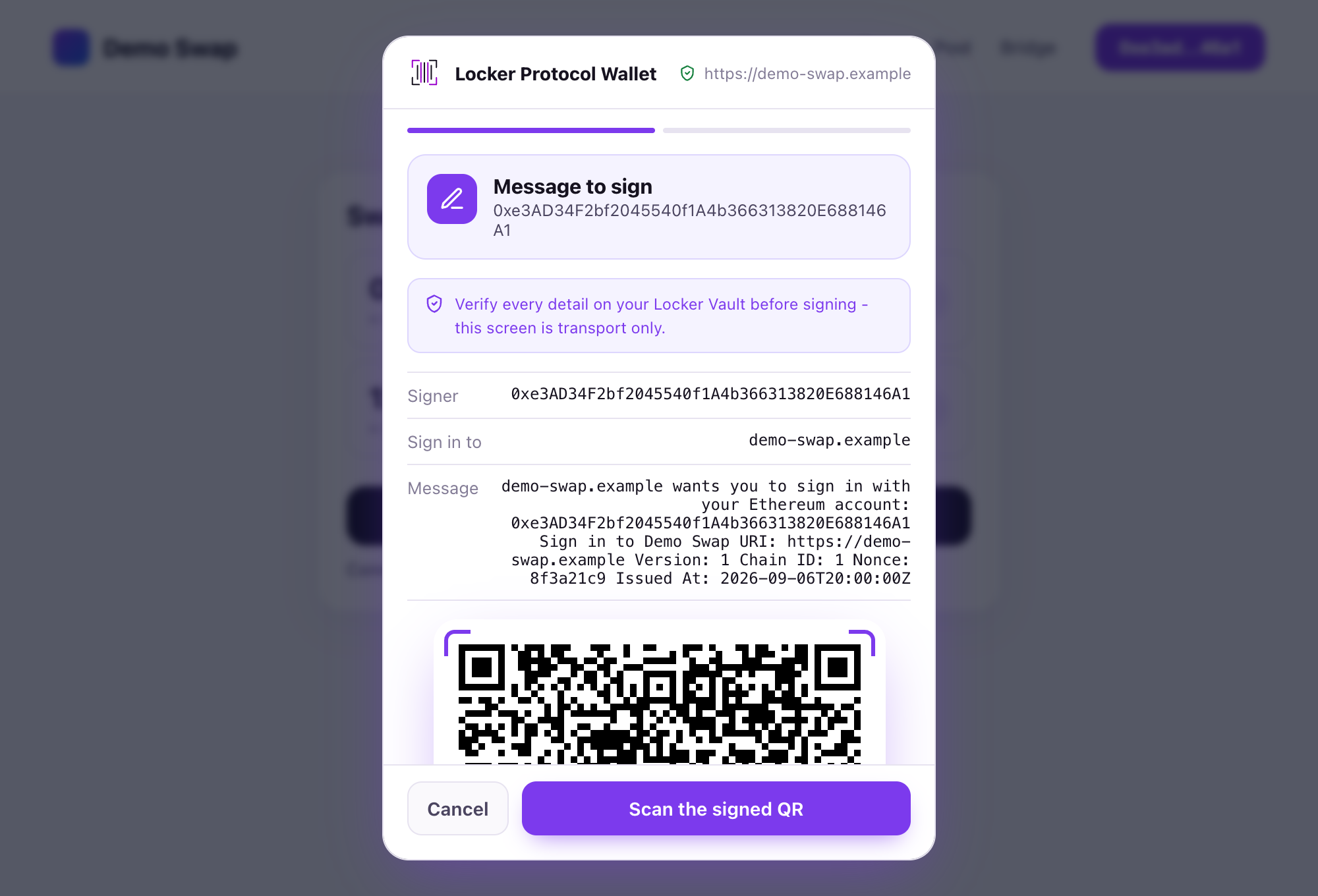
**Message to sign** shows the **Signer** and the **Message**. *Sign in to {site}* requests are the common login pattern.
A message request.
{% endstep %}
{% step %}
### Typed data (EIP-712)
**Typed data to sign** shows the **Domain**, the **Primary type** and the fields.
A typed-data request.
{% endstep %}
{% step %}
### Risk analysis
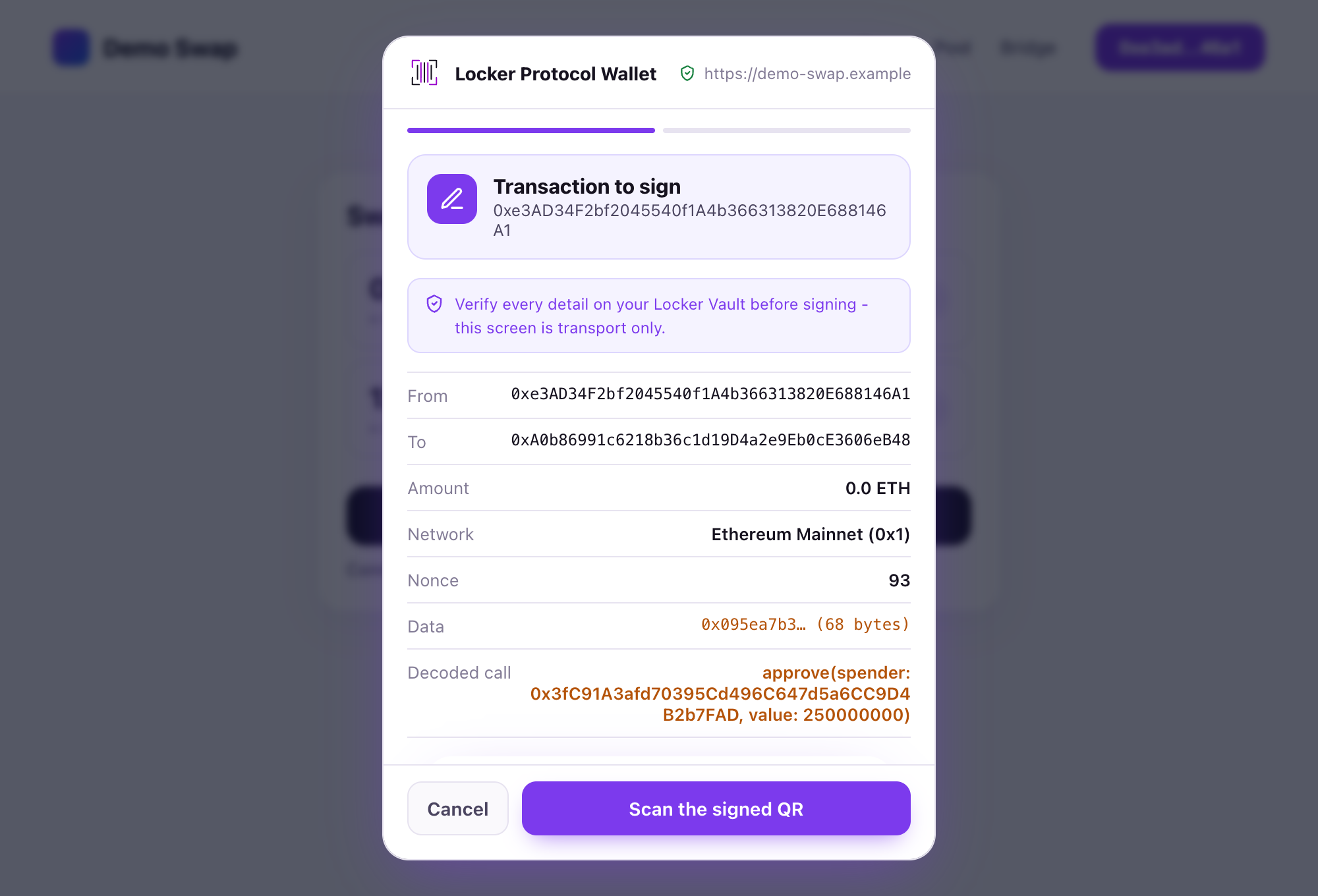
Above the details, the wallet's local analysis: **verified** (nothing to report), **caution** (review the findings), or **danger** (*signing stays locked until you acknowledge the warnings below*, with the checkbox *I have reviewed the warnings above and accept the risk*). The Vault runs its own analysis too.
A decoded call with a caution finding.
{% endstep %}
{% step %}
### Unlimited approvals
Prefer to **Cancel** and look for a site option to approve an exact amount. If you did approve, you can undo it later with [Revoke a token approval](/browser-extension/revoke-an-approval.md).
An UNLIMITED approval flagged in red.
{% endstep %}
{% step %}
### The animated QR
Continue: *Point your air-gapped vault's camera at this animated code until every frame is read.* The **Frame** counter shows progress. Scan it on the Vault's Sign tab and read the Vault's review.
The animated request QR.
{% endstep %}
{% step %}
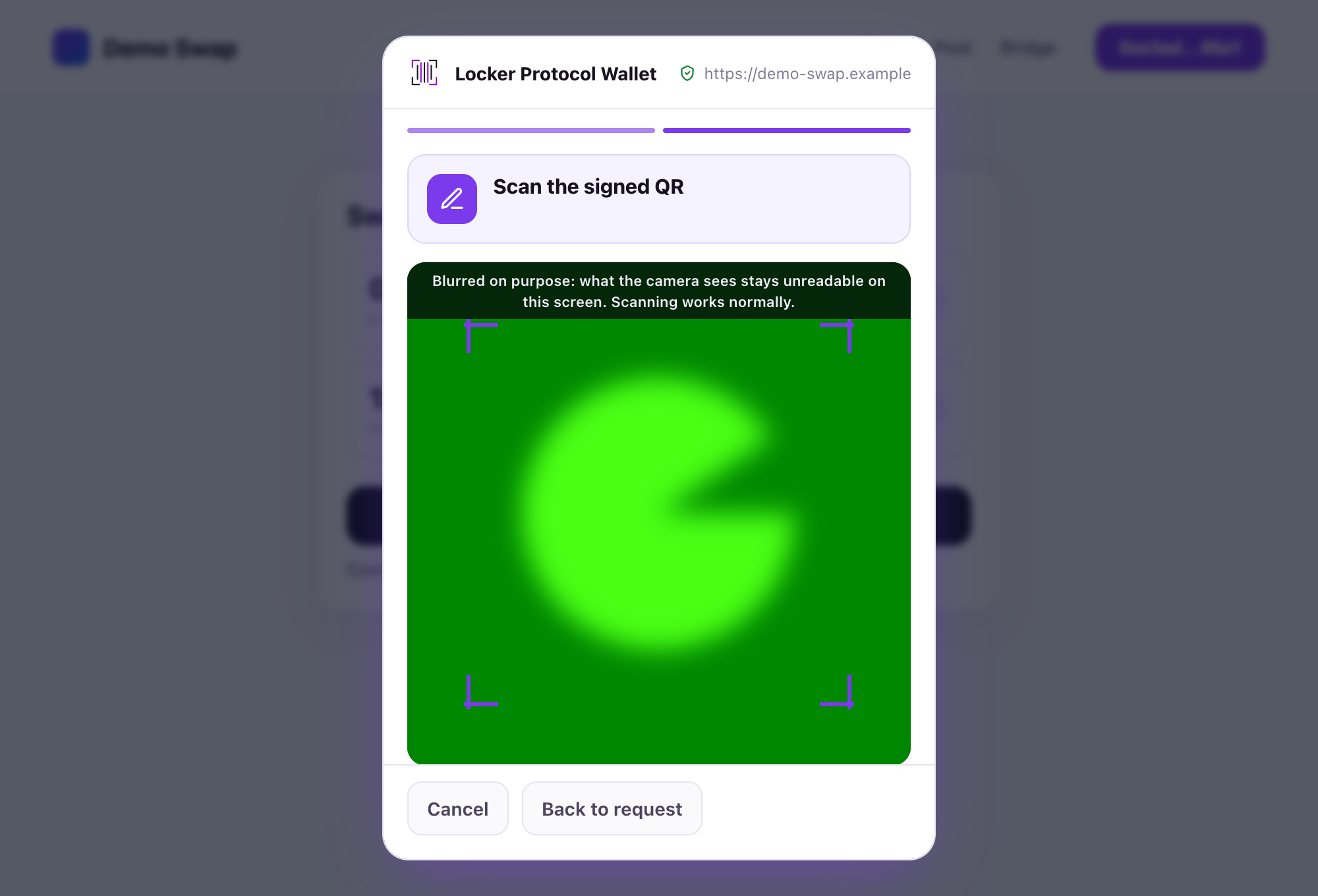
### Scan the signed QR
*Now hold the vault's signed QR up to your camera.* The wallet assembles the signature (**Assembling signature**) and hands it to the site.
Scanning the Vault's answer.
{% endstep %}
{% endstepper %}
{% hint style="warning" %}
**If something goes wrong**
* *That QR does not answer this request:* you showed a signature for a different request. Redo the loop.
* *That code could not be read in full. Present it again, slowly:* hold the Vault still, closer, and try again.
* *Blank page after the signature on an auto-translated site:* browser translation can crash the page. Disable translation for this site and reload.
* **Paste fallback** (*Paste the response instead (dev)*) appears only in Developer mode.
{% endhint %}
## Learn more
* [Sign a transaction (Vault side)](/vault/sign-a-transaction.md)
* [Risk warnings explained](/reference/risk-warnings-explained.md)
---
# Agent Instructions
This documentation is published with GitBook. GitBook is the documentation platform designed so that both humans and AI agents can read, navigate, and reason over technical content effectively. Learn more at gitbook.com.
## Querying This Documentation
If you need additional information that is not directly available in this page, you can query the documentation dynamically by asking a question.
Perform an HTTP GET request on the current page URL with the `ask` query parameter, and the optional `goal` query parameter:
```
GET https://doc.lockerprotocol.com/browser-extension/sign-what-a-dapp-asks.md?ask=&goal=
```
`ask` is the immediate question: it should be specific, self-contained, and written in natural language.
`goal` is optional and describes the broader end goal you are ultimately trying to accomplish on behalf of the user. GitBook uses it to tailor the answer towards what is most useful for that goal.
The response will contain a direct answer to the question and relevant excerpts and sources from the documentation.
Use this mechanism when the answer is not explicitly present in the current page, you need clarification or additional context, or you want to retrieve related documentation sections.