> For the complete documentation index, see [llms.txt](https://doc.lockerprotocol.com/llms.txt). Markdown versions of documentation pages are available by appending `.md` to page URLs; this page is available as [Markdown](https://doc.lockerprotocol.com/browser-extension/send.md).

# Send

Choose a network, a recipient, an amount and a fee, then sign with the Vault.

Sending is the same four choices every time: **where** (network), **to whom**, **how much**, **how fast**. Then the Vault signs.

## What you need

* An account with a balance on the network you choose.
* Your Vault, unlocked, for the signature.

{% stepper %}
{% step %}

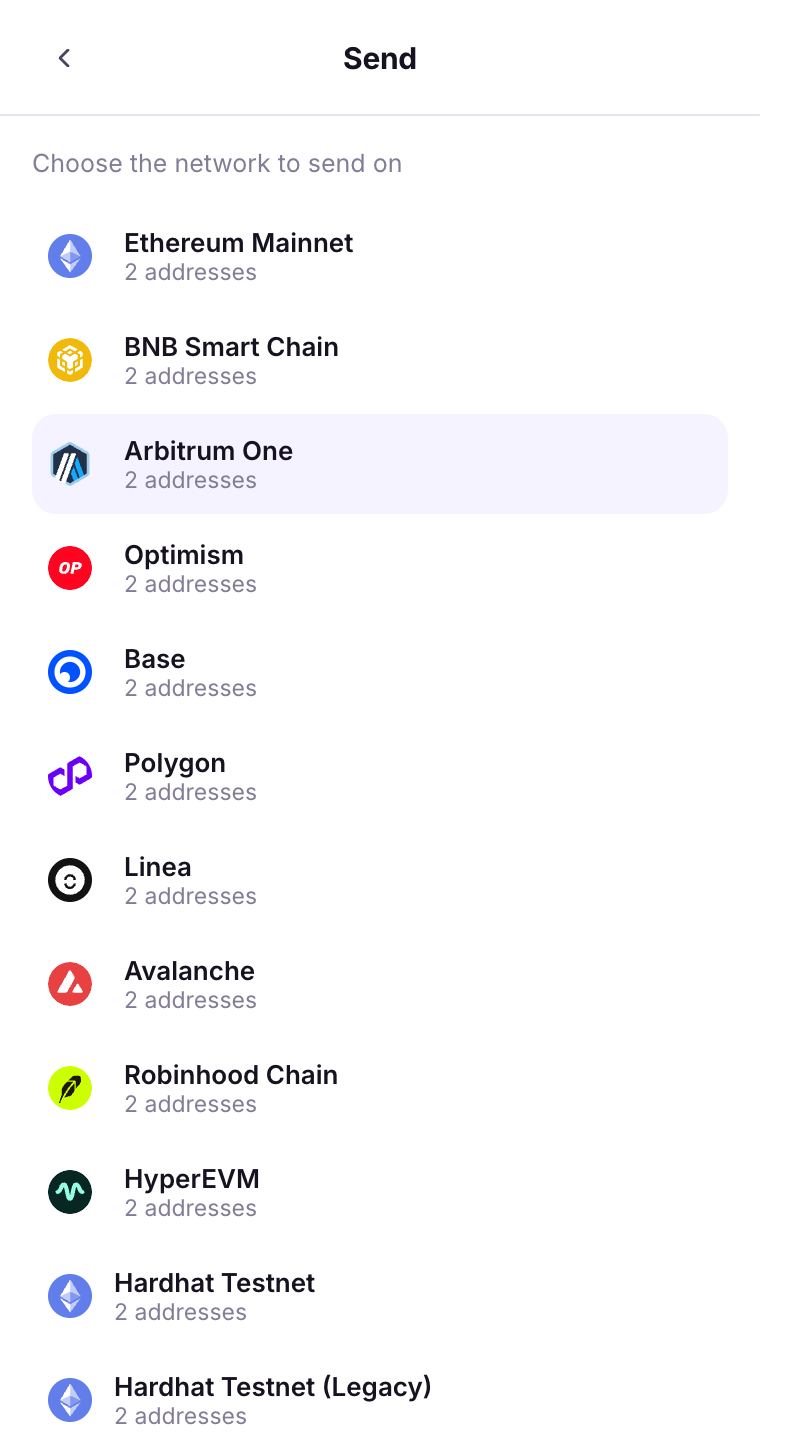
### Choose the network

Home → **Send**. *Choose the network to send on.* The wallet lists the networks where this account holds something.

<figure><img src="https://3674012151-files.gitbook.io/~/files/v0/b/gitbook-x-prod.appspot.com/o/spaces%2FT2jyfPJ4rcVavAvTU9nL%2Fuploads%2Fgit-blob-834f6f478300f13fe99139cf8ee22f7f91f41d52%2F01-choose-network.png?alt=media" alt="choose network"><figcaption><p>Pick the network.</p></figcaption></figure>
{% endstep %}

{% step %}

### Choose the recipient

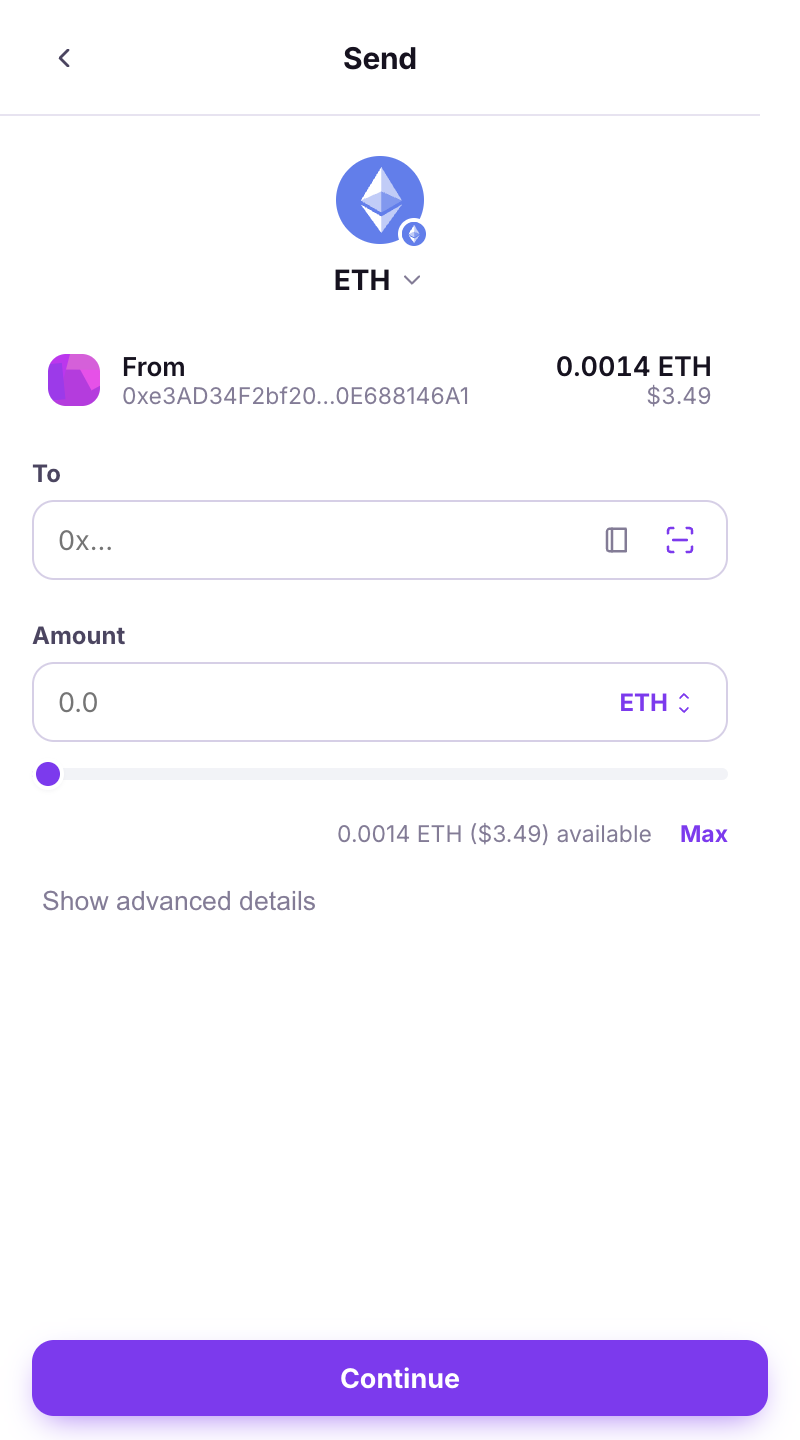
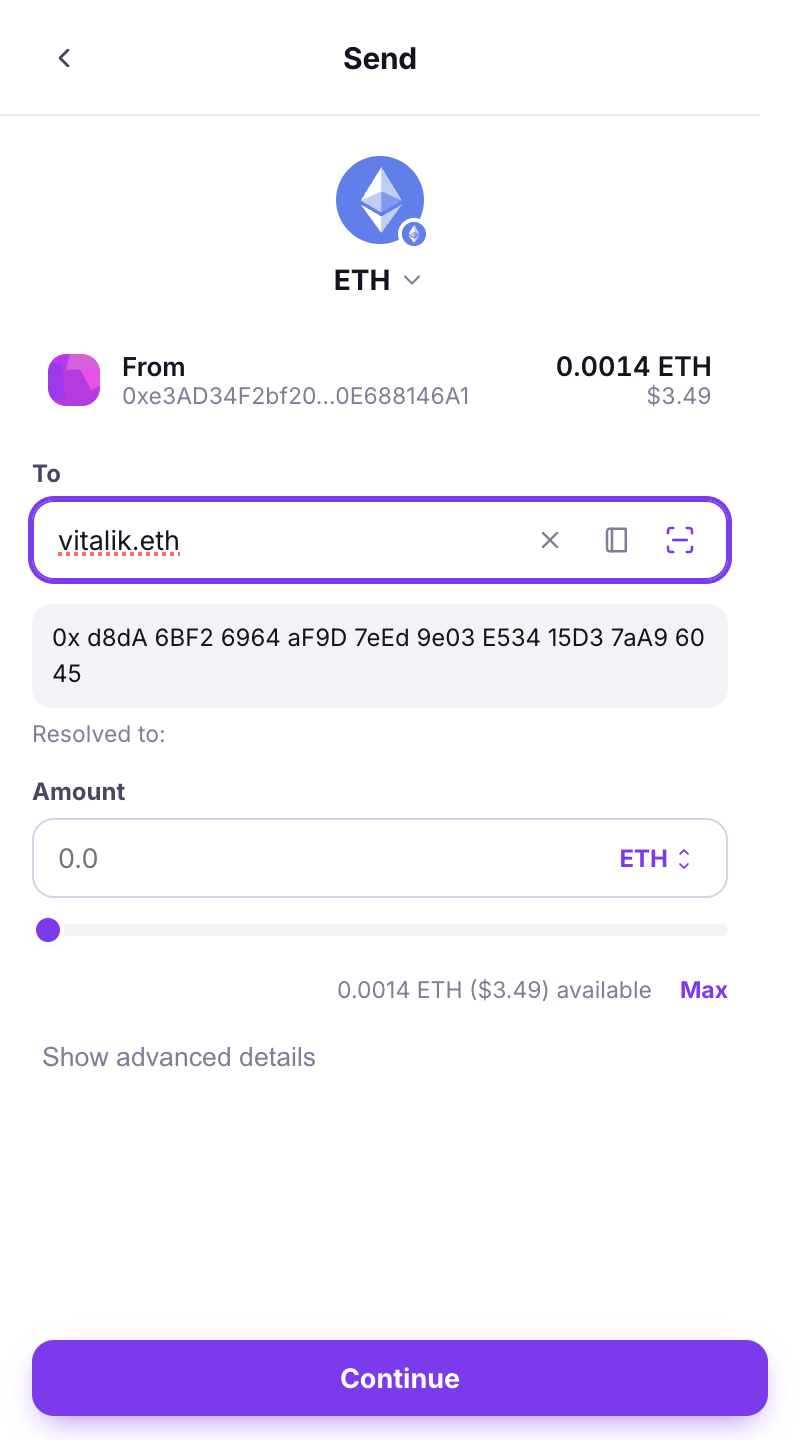
*Choose a recipient*: pick from **My accounts** or your **Contacts**, paste an address, or **Scan a recipient QR**. You can also type an **ENS name** (`alice.eth`): the wallet shows *Resolved to:* with the real address.

<figure><img src="https://3674012151-files.gitbook.io/~/files/v0/b/gitbook-x-prod.appspot.com/o/spaces%2FT2jyfPJ4rcVavAvTU9nL%2Fuploads%2Fgit-blob-7077a615ec7f8e429c757baeb5e089e197f4c5a3%2F02-choose-recipient.png?alt=media" alt="choose recipient"><figcaption><p>Recipient: accounts, contacts, paste or scan.</p></figcaption></figure>
{% endstep %}

{% step %}

### Read the address warnings

* **First time sending to this address.** — the wallet shows the full address once more under **New address**. Check it.
* **Looks like a known address but is DIFFERENT - check every character** — a *look-alike*. Stop and verify on the Vault.

<figure><img src="https://3674012151-files.gitbook.io/~/files/v0/b/gitbook-x-prod.appspot.com/o/spaces%2FT2jyfPJ4rcVavAvTU9nL%2Fuploads%2Fgit-blob-7cd245e3ab5e6c6343b3fcfb813eb706451e958e%2F03-contacts-ens.png?alt=media" alt="contacts ens"><figcaption><p>An ENS name resolved, and the first-send notice.</p></figcaption></figure>
{% endstep %}

{% step %}

### Choose the asset and the amount

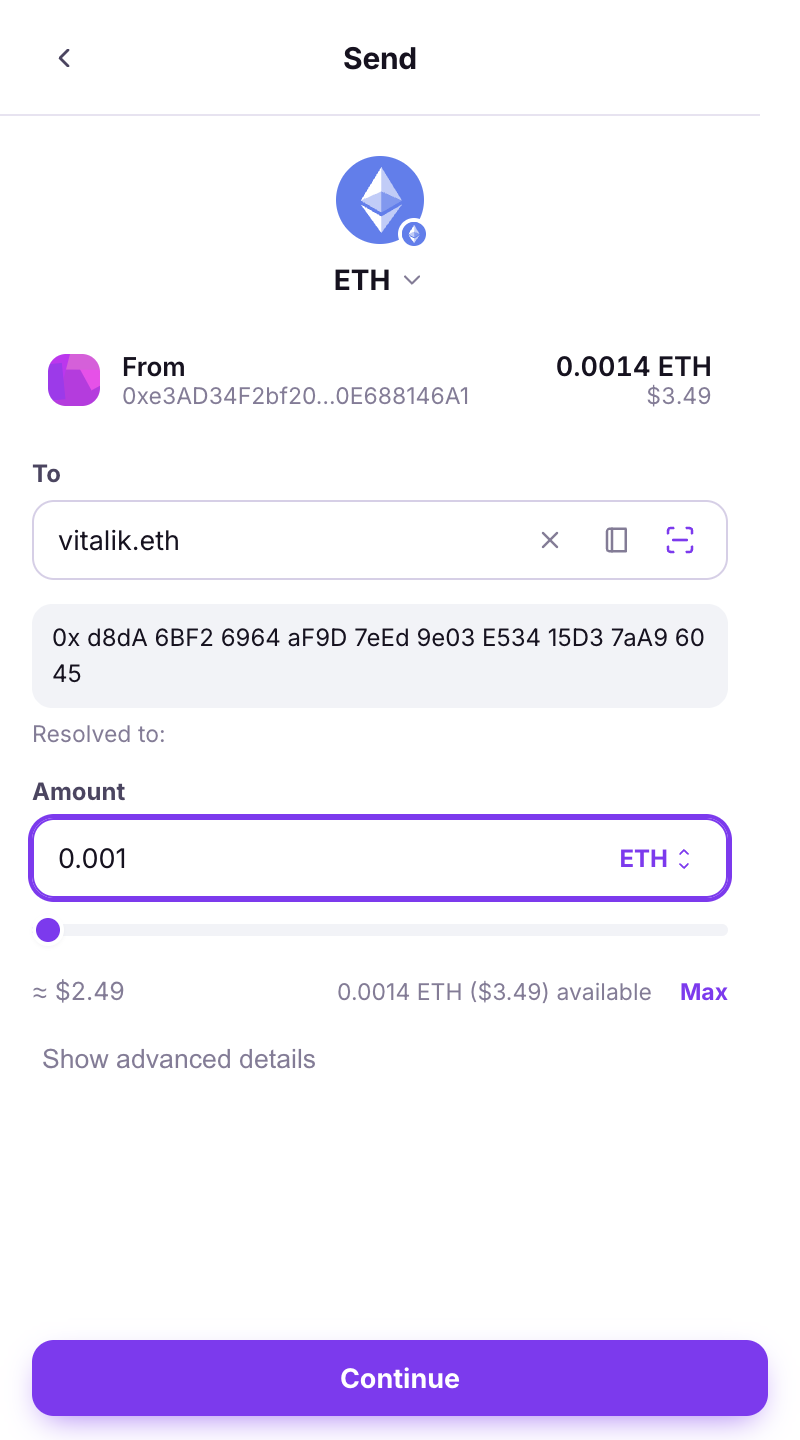
Pick the token, then type the amount, or tap **Max** / a **percentage of the balance**. **Max** leaves just enough to pay the network fee. Under **available** you see what you can spend.

<figure><img src="https://3674012151-files.gitbook.io/~/files/v0/b/gitbook-x-prod.appspot.com/o/spaces%2FT2jyfPJ4rcVavAvTU9nL%2Fuploads%2Fgit-blob-f07fba680b0adbac22b9229f01e3d4291de8cd33%2F04-amount-max.png?alt=media" alt="amount max"><figcaption><p>Amount, with Max and percentages.</p></figcaption></figure>
{% endstep %}

{% step %}

### Choose the speed

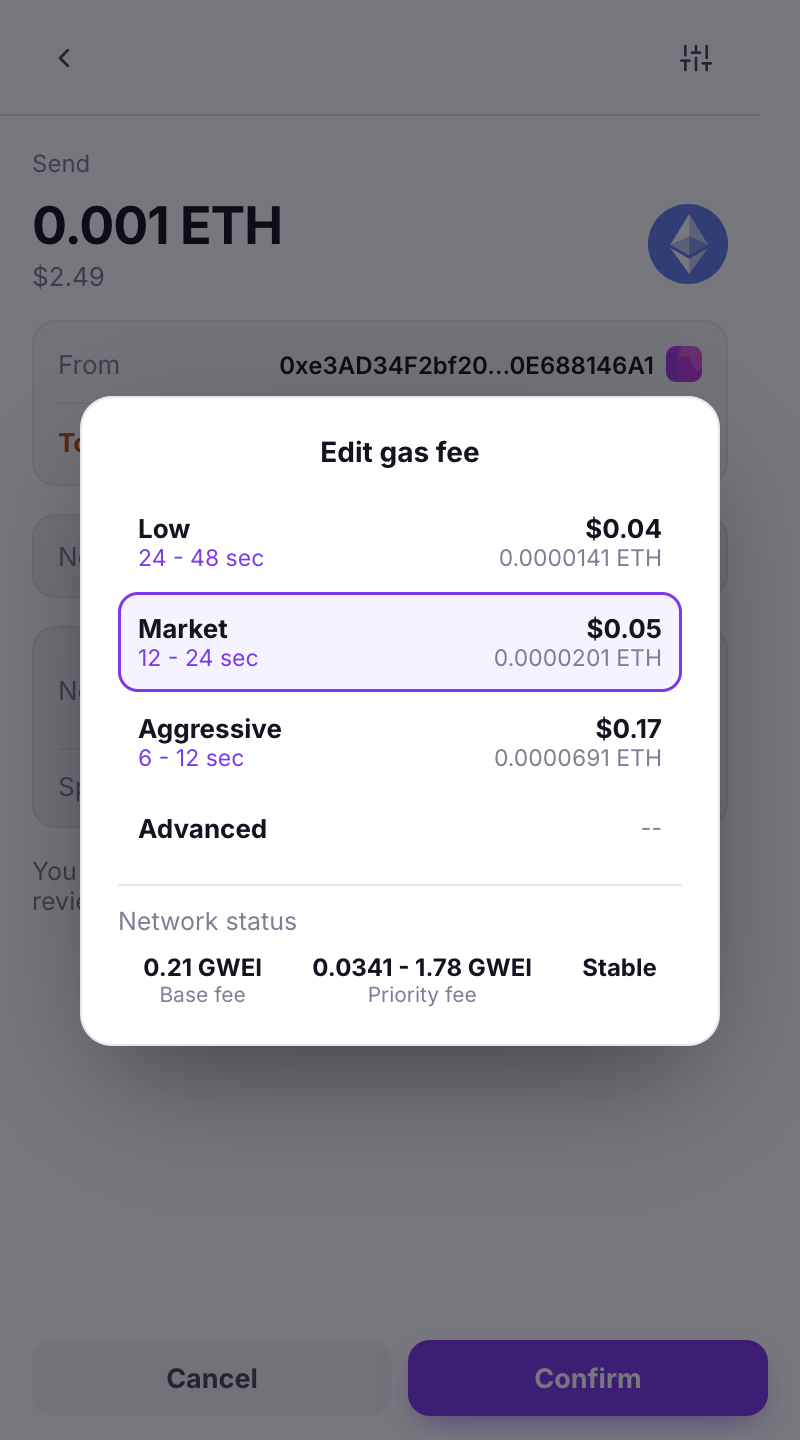
**Low** (24–48 s), **Market** (12–24 s) or **Aggressive** (6–12 s). **Max fee** is the most you will pay; the real fee is usually lower.

<figure><img src="https://3674012151-files.gitbook.io/~/files/v0/b/gitbook-x-prod.appspot.com/o/spaces%2FT2jyfPJ4rcVavAvTU9nL%2Fuploads%2Fgit-blob-da0584f44799699cce055992f8e0d6486f79b6a4%2F05-gas-options.png?alt=media" alt="gas options"><figcaption><p>Edit gas fee: Low, Market, Aggressive, or Advanced.</p></figcaption></figure>
{% endstep %}

{% step %}

### Advanced (optional)

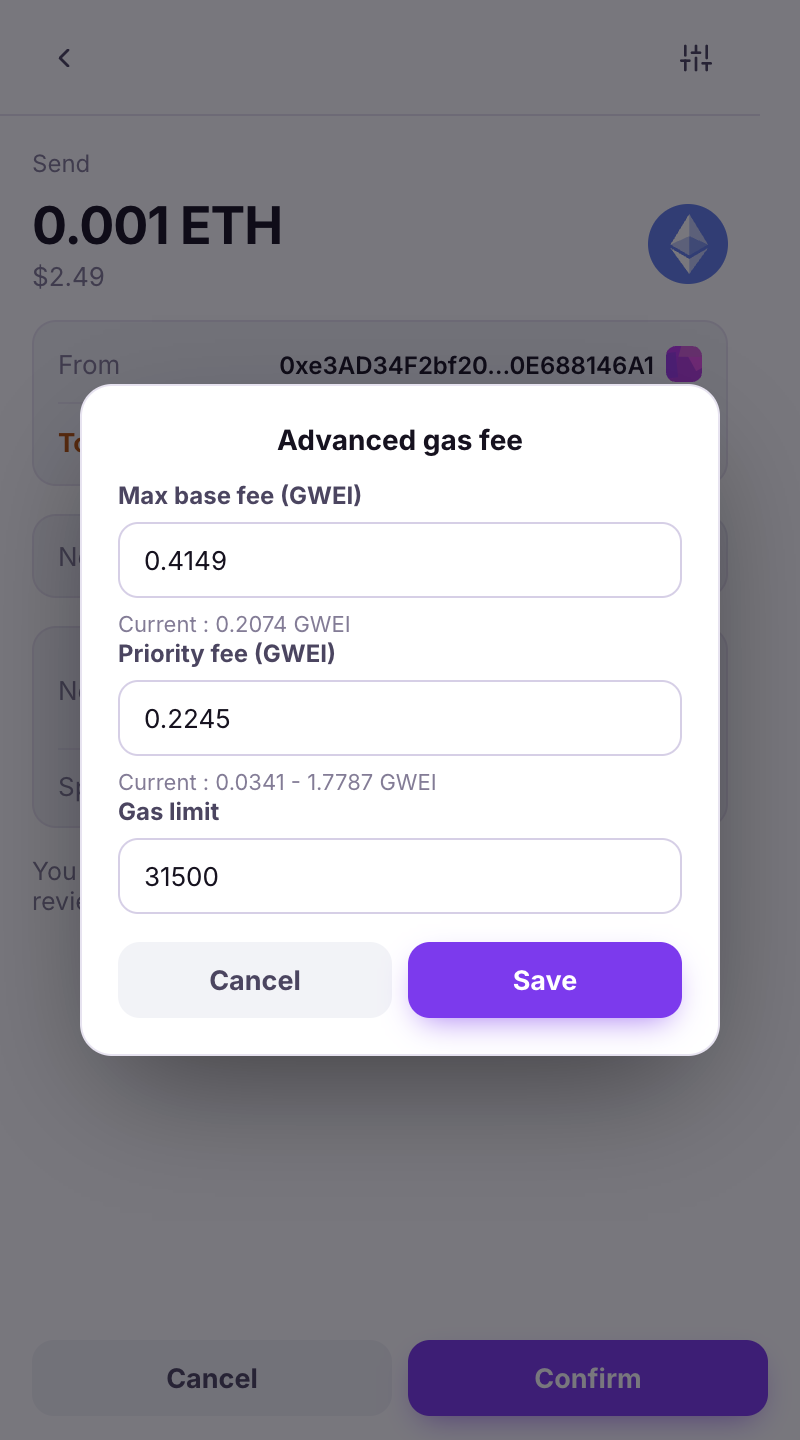
**Advanced** lets you set **Max base fee**, **Priority fee**, **Gas limit** and the **Nonce** (normally *auto*). **Hex data** makes the transaction call a contract: *a plain payment needs none, leave it empty unless you know exactly what you are sending.*

<figure><img src="https://3674012151-files.gitbook.io/~/files/v0/b/gitbook-x-prod.appspot.com/o/spaces%2FT2jyfPJ4rcVavAvTU9nL%2Fuploads%2Fgit-blob-1c8b7b7d697aa30c7351b15ac48338e9483f97a7%2F06-gas-advanced.png?alt=media" alt="gas advanced"><figcaption><p>The advanced gas fields.</p></figcaption></figure>
{% endstep %}

{% step %}

### Review

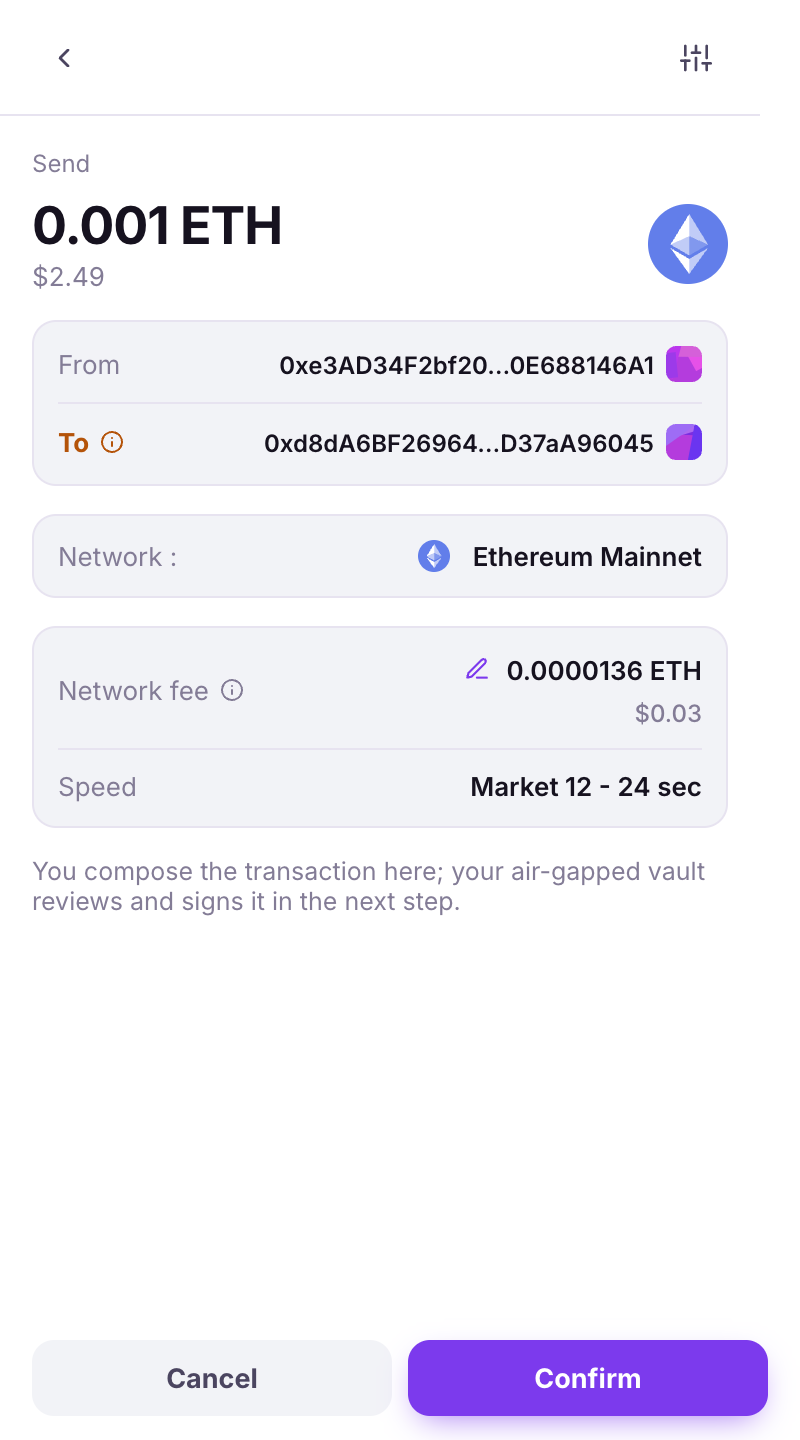
The **Send** review shows **From**, **To**, **Amount**, **Network fee** and **Max fee**. If earlier transactions are still waiting on this account, the wallet says so (*This one will go out after them*) and offers **Speed up**.

<figure><img src="https://3674012151-files.gitbook.io/~/files/v0/b/gitbook-x-prod.appspot.com/o/spaces%2FT2jyfPJ4rcVavAvTU9nL%2Fuploads%2Fgit-blob-84e474745c23d3bb0f72797c8caef28a94a79ced%2F07-review.png?alt=media" alt="review"><figcaption><p>The review screen.</p></figcaption></figure>
{% endstep %}

{% step %}

### Sign with the Vault

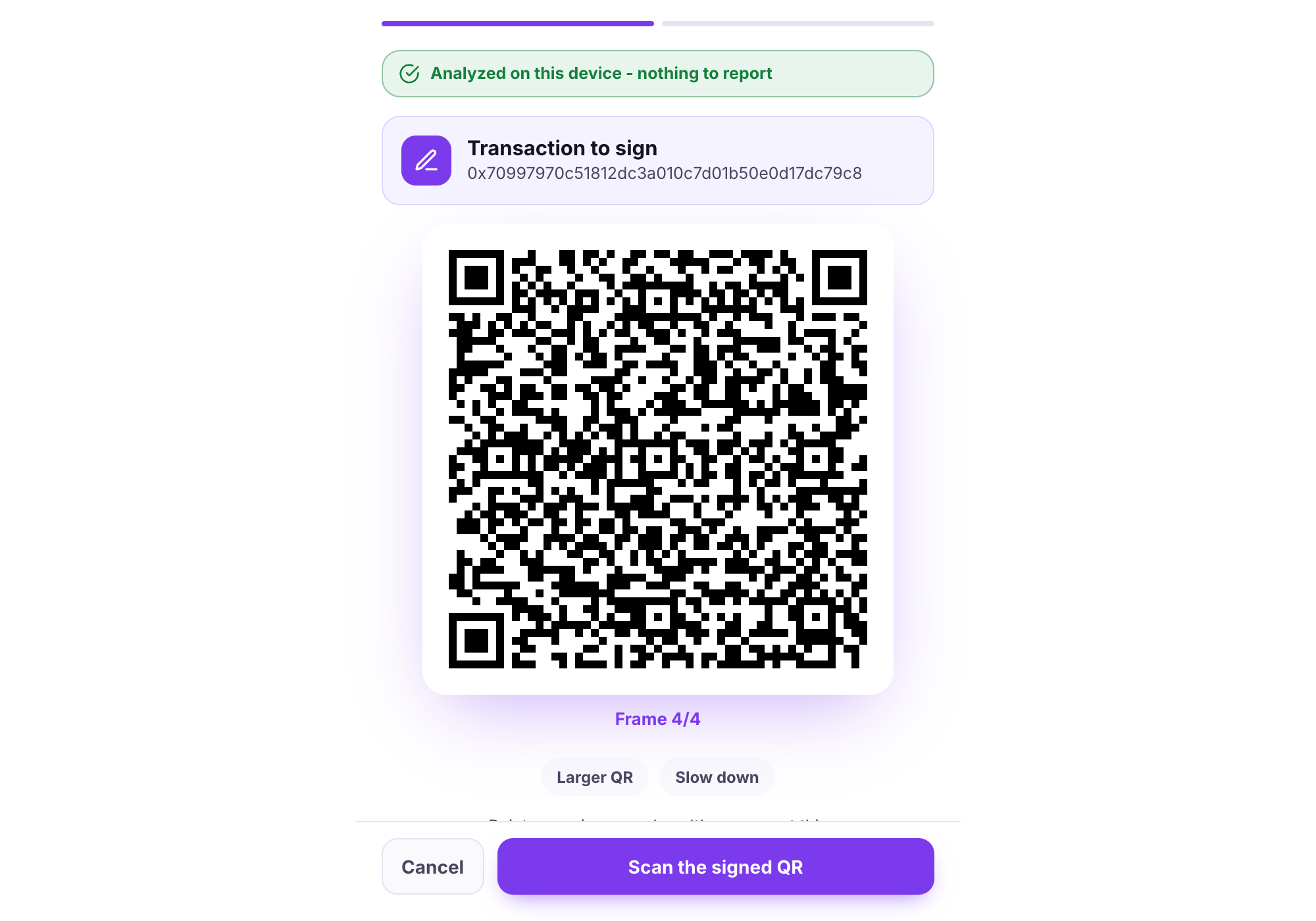
Tap **Continue**. The wallet shows the animated QR: scan it on the Vault's **Sign** tab, read the Vault's review, sign, then hold the Vault's signed QR to the webcam (**Scan the signed QR**). **Larger QR** / **Slow down** help if the Vault struggles to read.

<figure><img src="https://3674012151-files.gitbook.io/~/files/v0/b/gitbook-x-prod.appspot.com/o/spaces%2FT2jyfPJ4rcVavAvTU9nL%2Fuploads%2Fgit-blob-4c2f657279d85cfec29dc3a0ce26d3f98b9a751d%2F08-qr-loop.png?alt=media" alt="qr loop"><figcaption><p>The QR loop in the extension.</p></figcaption></figure>
{% endstep %}

{% step %}

### Sent

**Transaction submitted**, then **Transaction confirmed** (a system notification too, if enabled). The transaction is in **Activity** with **View on explorer**.

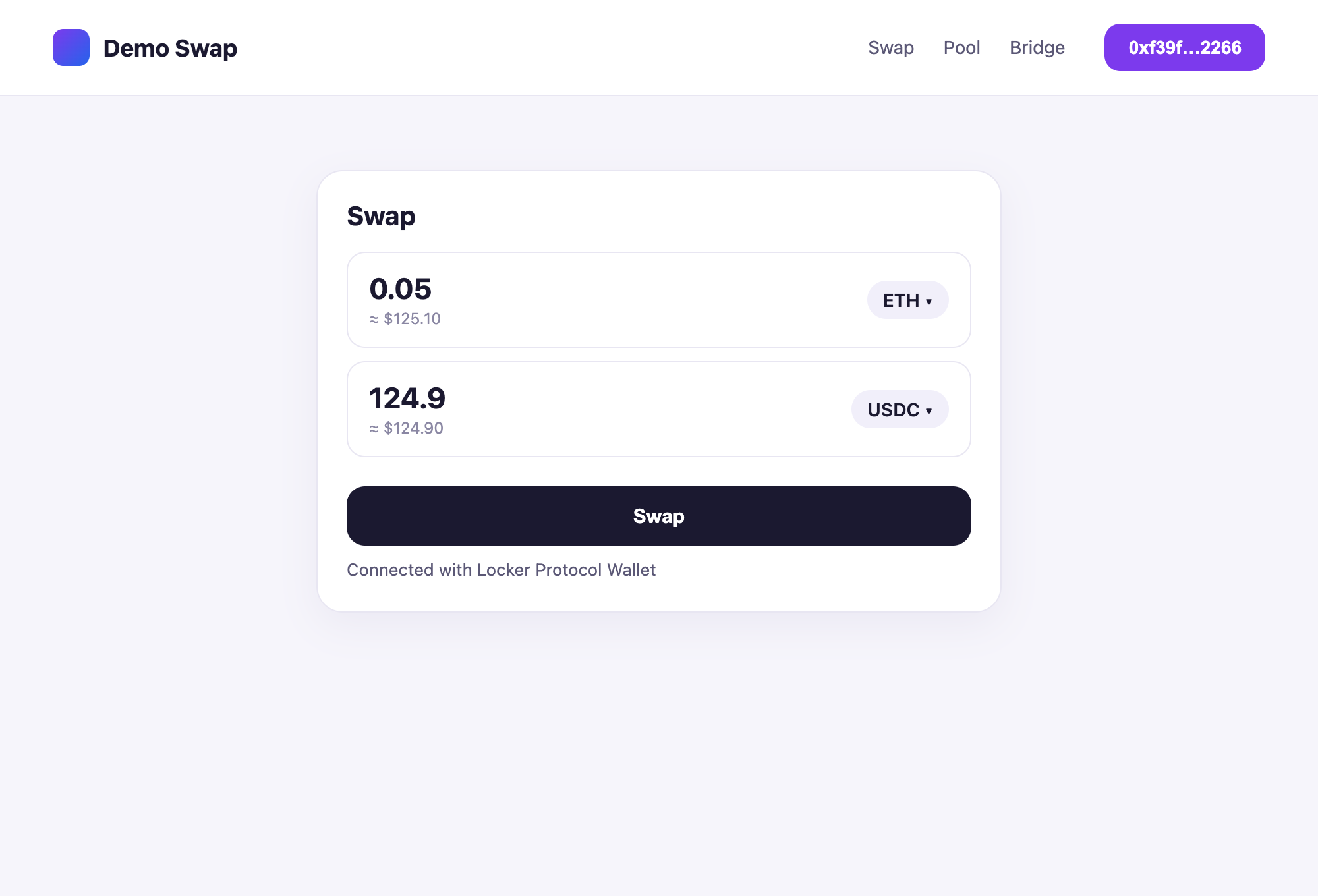
<figure><img src="https://3674012151-files.gitbook.io/~/files/v0/b/gitbook-x-prod.appspot.com/o/spaces%2FT2jyfPJ4rcVavAvTU9nL%2Fuploads%2Fgit-blob-e370412ba2f3cfcaf957f664fb1bd1d000000e48%2F09-sent-toast.png?alt=media" alt="sent toast"><figcaption><p>Back on the site once the signature is in: the transaction is submitted and shows up in Activity.</p></figcaption></figure>
{% endstep %}
{% endstepper %}

{% hint style="warning" %}
**If something goes wrong**

* *Not enough {symbol} to pay the network fee:* you need a little of the network's own coin (ETH on Ethereum, POL on Polygon…) even to send a token.
* *This request has expired. Start again from the popup:* you waited too long between the QR and the signature. Redo the send.
* *Could not complete the transaction:* tap **Try broadcasting again**. If the Vault already signed, no need to re-sign.
  {% endhint %}

## Other chains

{% content-ref url="/pages/FOf3oVqQXzRpI9xv7Xzz" %}
[Send Bitcoin](/browser-extension/send/bitcoin.md)
{% endcontent-ref %}

{% content-ref url="/pages/T4amwgPOswRITIVkJRhC" %}
[Send Solana](/browser-extension/send/solana.md)
{% endcontent-ref %}

{% content-ref url="/pages/kumEBksC8e7A9904N7JA" %}
[Send Tron](/browser-extension/send/tron.md)
{% endcontent-ref %}

{% content-ref url="/pages/NNicHOAgCadyWepZc1M1" %}
[Send Sui](/browser-extension/send/sui.md)
{% endcontent-ref %}

{% content-ref url="/pages/G1Is00D7lt78xSohyxM1" %}
[Send Stellar](/browser-extension/send/stellar.md)
{% endcontent-ref %}


---

# Agent Instructions
This documentation is published with GitBook. GitBook is the documentation platform designed so that both humans and AI agents can read, navigate, and reason over technical content effectively. Learn more at gitbook.com.

## Querying This Documentation
If you need additional information that is not directly available in this page, you can query the documentation dynamically by asking a question.

Perform an HTTP GET request on the current page URL with the `ask` query parameter, and the optional `goal` query parameter:

```
GET https://doc.lockerprotocol.com/browser-extension/send.md?ask=<question>&goal=<endgoal>
```

`ask` is the immediate question: it should be specific, self-contained, and written in natural language.
`goal` is optional and describes the broader end goal you are ultimately trying to accomplish on behalf of the user. GitBook uses it to tailor the answer towards what is most useful for that goal.

The response will contain a direct answer to the question and relevant excerpts and sources from the documentation.

Use this mechanism when the answer is not explicitly present in the current page, you need clarification or additional context, or you want to retrieve related documentation sections.