> For the complete documentation index, see [llms.txt](https://doc.lockerprotocol.com/llms.txt). Markdown versions of documentation pages are available by appending `.md` to page URLs; this page is available as [Markdown](https://doc.lockerprotocol.com/browser-extension/receive.md).
# Receive
Show your address as a QR, then check it on the Vault.
{% stepper %}
{% step %}
### Tap Receive
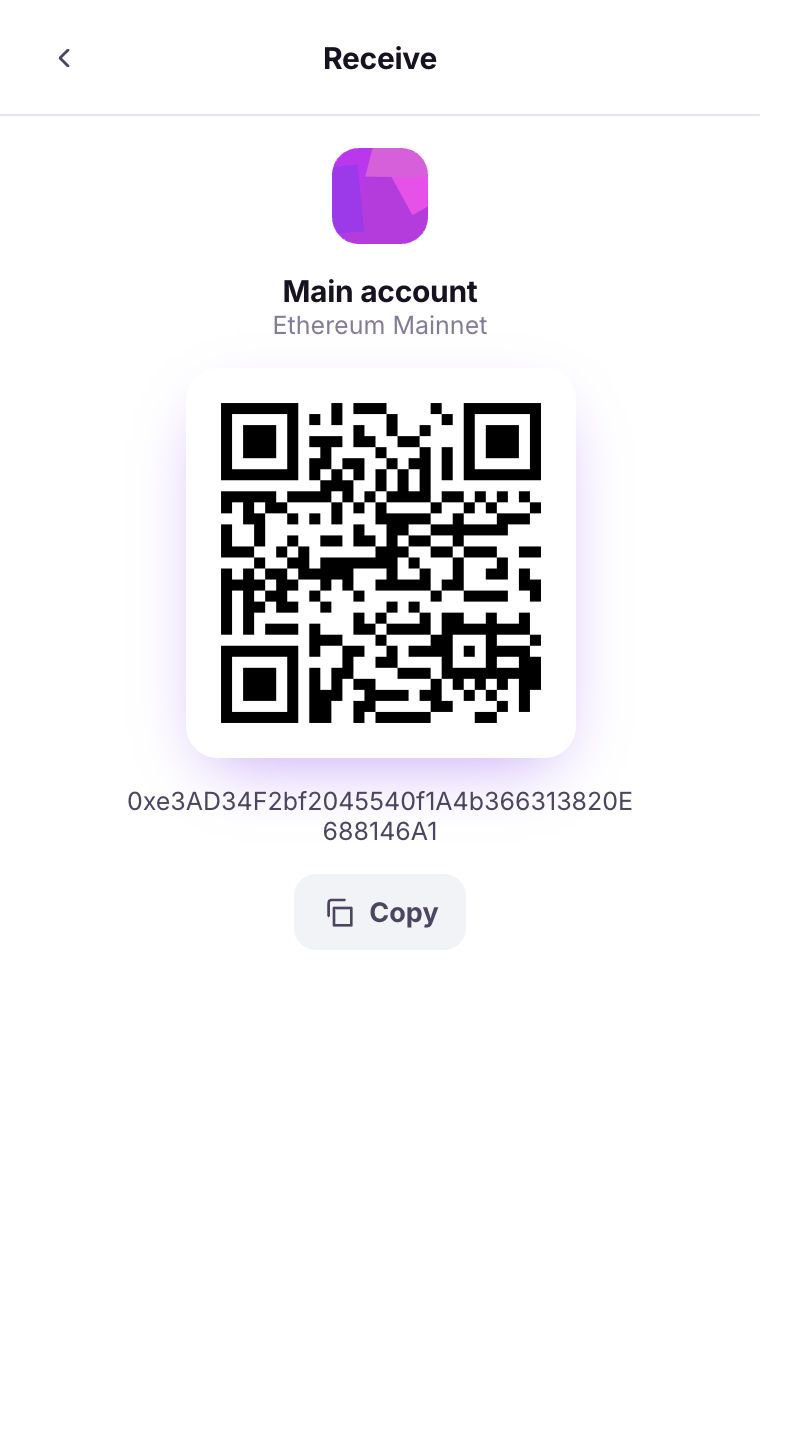
Home → **Receive**. The wallet shows the active address as a QR with a **Copy** button. For other chains, pick the address under **Other networks** first.
Your address as a QR.
{% endstep %}
{% step %}
### Verify it on your Vault
The screen says **Review on vault**. Before sharing the address for a large amount, open **Verify Address** on the Vault and compare every group of characters.
The reminder to verify on the Vault.
{% endstep %}
{% endstepper %}
{% hint style="warning" %}
A compromised computer can swap the address on the screen. The Vault's screen cannot be swapped. That is why you compare.
{% endhint %}
## Learn more
* [Verify an address (Vault)](https://doc.lockerprotocol.com/vault/verify-an-address.md)