> For the complete documentation index, see [llms.txt](https://doc.lockerprotocol.com/llms.txt). Markdown versions of documentation pages are available by appending `.md` to page URLs; this page is available as [Markdown](https://doc.lockerprotocol.com/browser-extension/phishing-and-risk-protection.md).
# Phishing & risk protection
The wallet checks every request on your device and warns you before you sign.
Three layers, all running on your computer with no server involved, and the Vault runs its own copy of the last one.
{% stepper %}
{% step %}
### Site checks
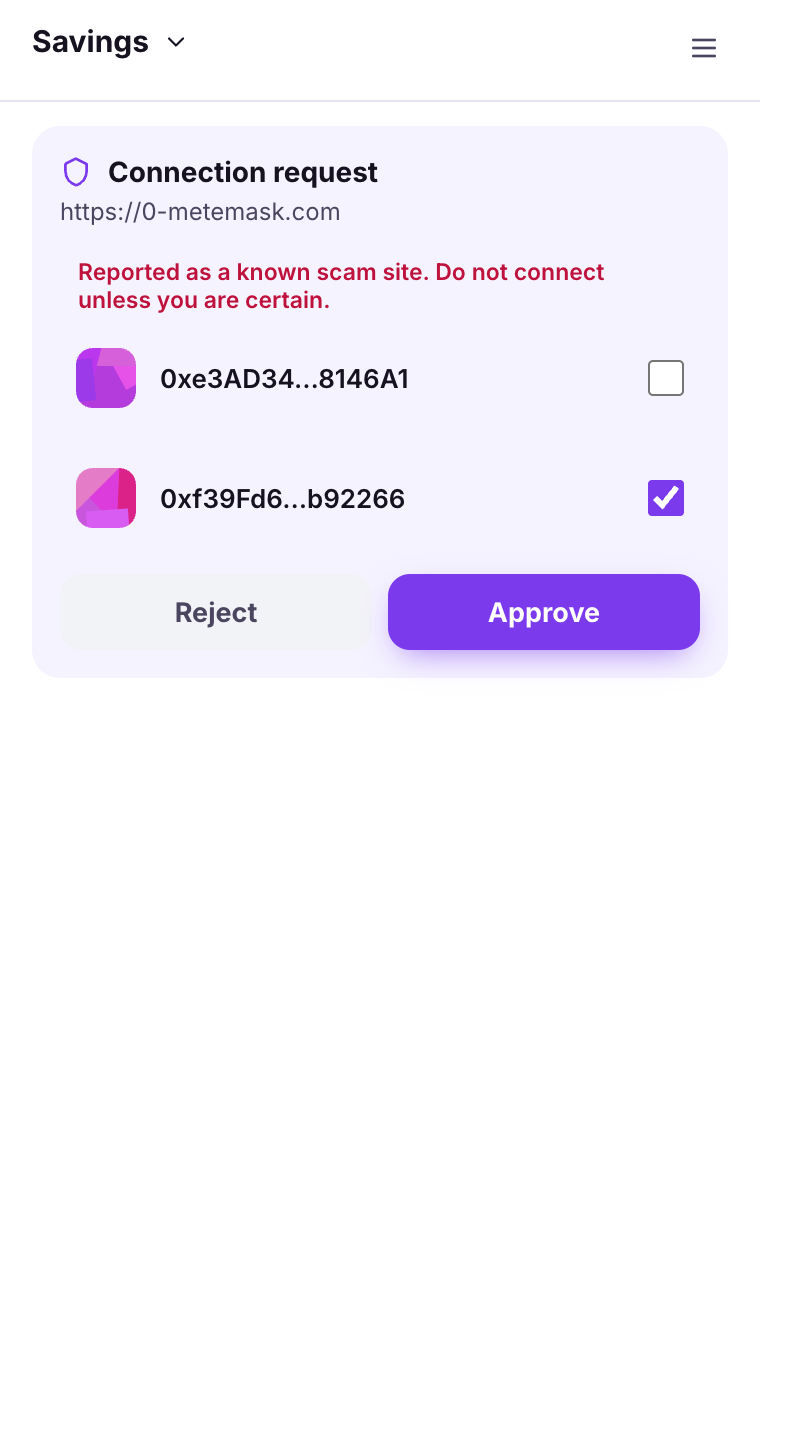
When a site connects, the wallet compares it with a **bundled phishing list** (*Reported as a known scam site*) and looks for **punycode** tricks (*This domain uses unusual characters that can imitate another site*).
A phishing warning on a connection request.
{% endstep %}
{% step %}
### Address checks
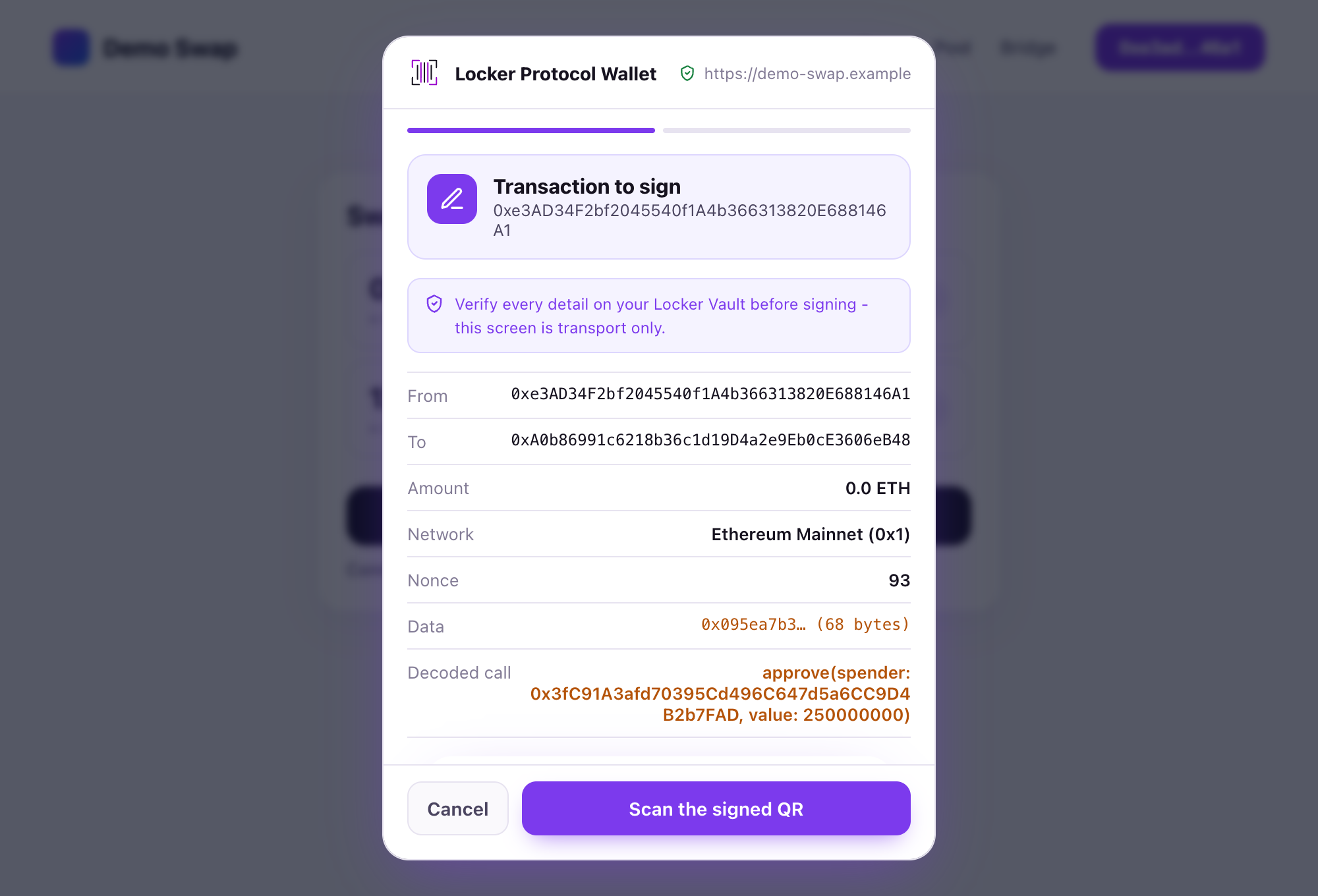
When you send: **look-alike** detection (*Looks like a known address but is DIFFERENT*), **first send** notices, ENS/SuiNS resolution shown in full.
A caution finding on a request.
{% endstep %}
{% step %}
### Request analysis
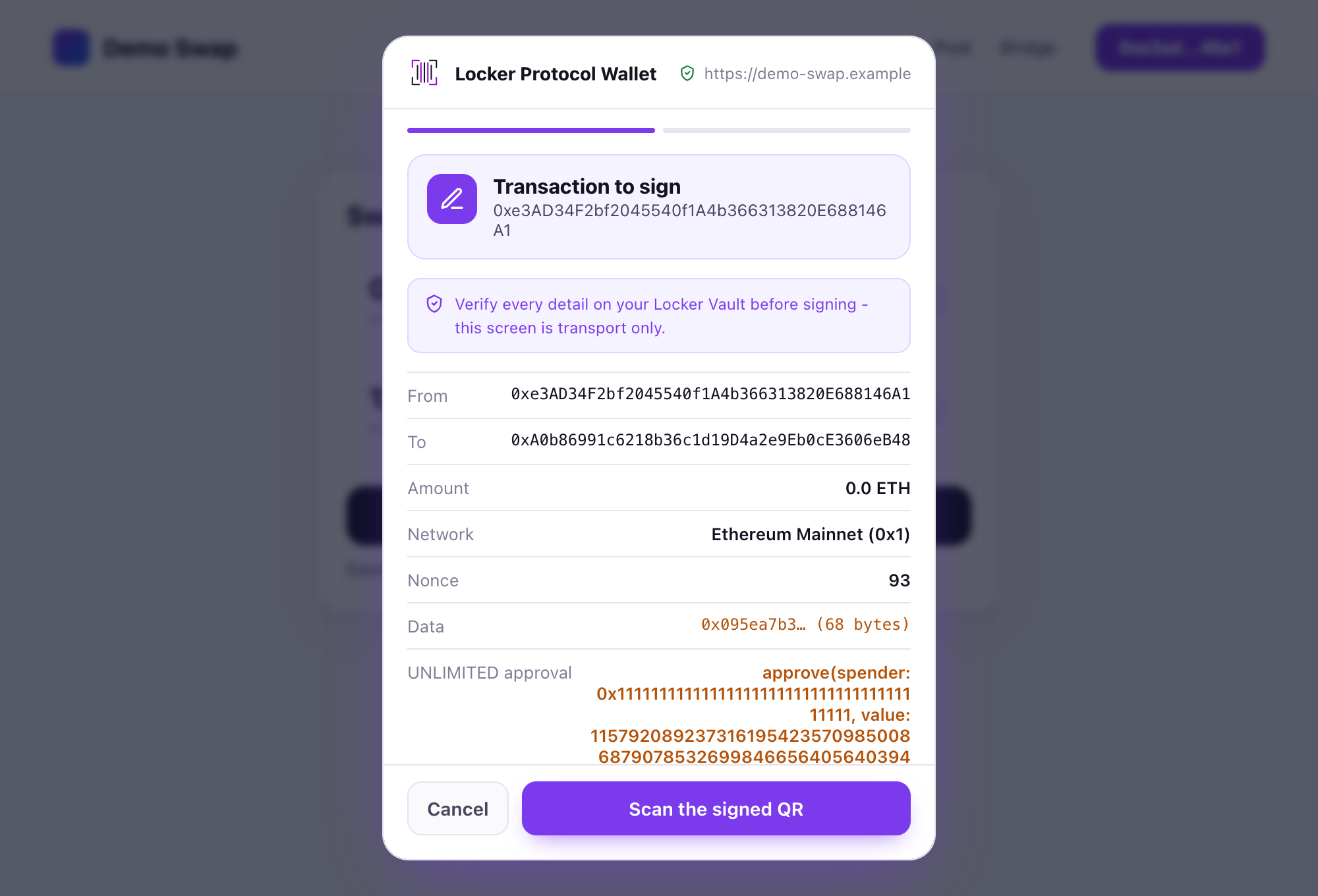
Every signing request gets a verdict: **verified**, **caution** or **danger**. Danger locks the button until you tick *I have reviewed the warnings above and accept the risk.* Reasons include unlimited approvals to unknown spenders, handing over a whole NFT collection, a "token" with no contract code, an ENS name that does not match the recipient, moving nearly your entire balance, and more.
A danger verdict with its acknowledgement.
{% endstep %}
{% endstepper %}
{% hint style="info" %}
The optional [local AI assistant](/browser-extension/local-ai-assistant.md) can rephrase these findings in plain words. It never changes the verdict.
{% endhint %}
## Learn more
* [Risk warnings explained](/reference/risk-warnings-explained.md), one entry per reason.
---
# Agent Instructions
This documentation is published with GitBook. GitBook is the documentation platform designed so that both humans and AI agents can read, navigate, and reason over technical content effectively. Learn more at gitbook.com.
## Querying This Documentation
If you need additional information that is not directly available in this page, you can query the documentation dynamically by asking a question.
Perform an HTTP GET request on the current page URL with the `ask` query parameter, and the optional `goal` query parameter:
```
GET https://doc.lockerprotocol.com/browser-extension/phishing-and-risk-protection.md?ask=&goal=
```
`ask` is the immediate question: it should be specific, self-contained, and written in natural language.
`goal` is optional and describes the broader end goal you are ultimately trying to accomplish on behalf of the user. GitBook uses it to tailor the answer towards what is most useful for that goal.
The response will contain a direct answer to the question and relevant excerpts and sources from the documentation.
Use this mechanism when the answer is not explicitly present in the current page, you need clarification or additional context, or you want to retrieve related documentation sections.