> For the complete documentation index, see [llms.txt](https://doc.lockerprotocol.com/llms.txt). Markdown versions of documentation pages are available by appending `.md` to page URLs; this page is available as [Markdown](https://doc.lockerprotocol.com/browser-extension/networks.md).

# Networks

Pick a network, show test networks, add your own.

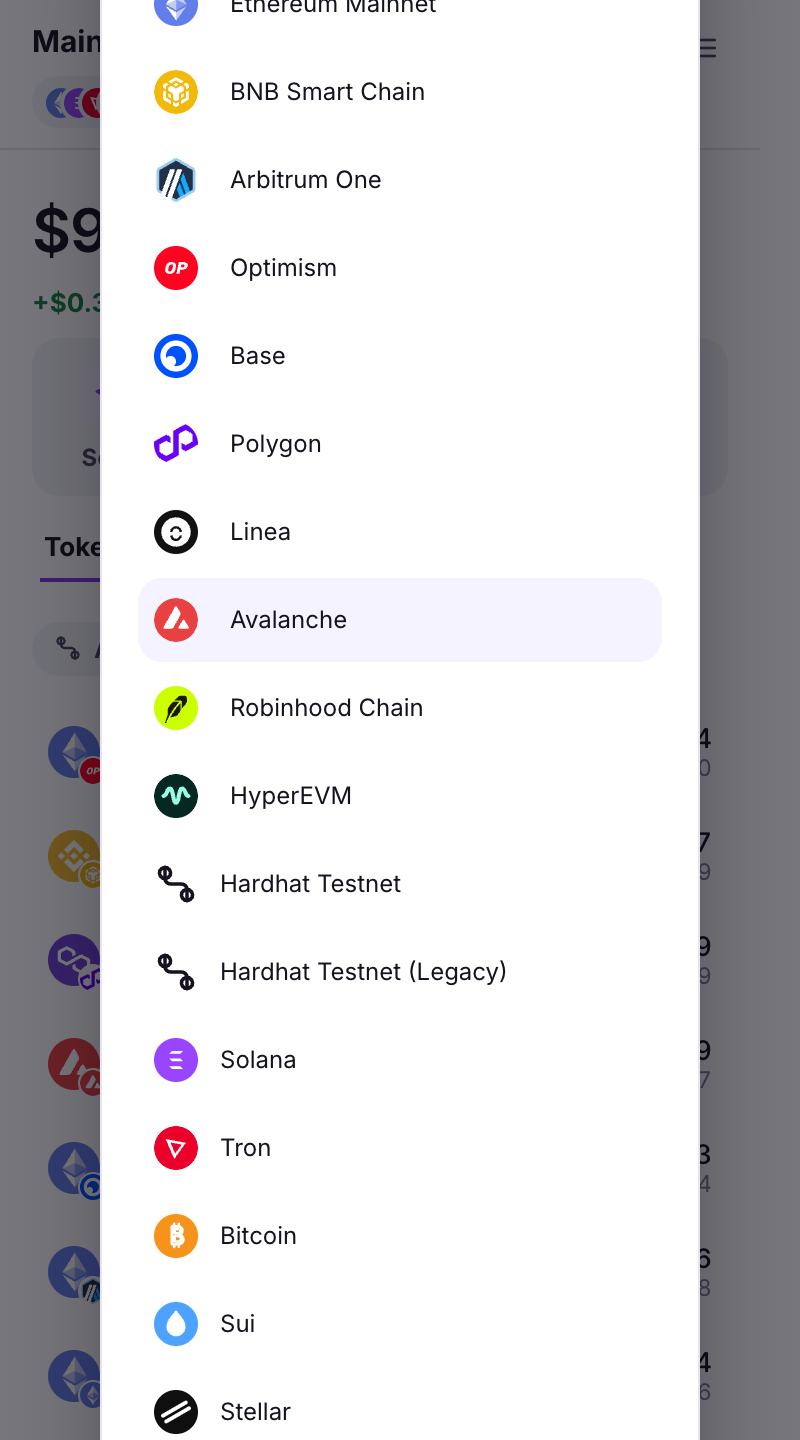
One Ethereum address works on every EVM network: Ethereum, Base, Arbitrum, Optimism, Polygon, BNB Chain, Avalanche, Linea and more. The network picker decides which one you are looking at, and which one websites use.

{% stepper %}
{% step %}

### The network picker

Tap the network name at the top of Home. Choose **All networks** to see every balance at once, or one network. The **Filter by network** list decides which ones are shown in the wallet.

<figure><img src="https://3674012151-files.gitbook.io/~/files/v0/b/gitbook-x-prod.appspot.com/o/spaces%2FT2jyfPJ4rcVavAvTU9nL%2Fuploads%2Fgit-blob-bb587d8cd671a91d8edc753b0962293a8f84355b%2F01-network-picker.png?alt=media" alt="network picker"><figcaption><p>The network picker: All networks, or one at a time.</p></figcaption></figure>
{% endstep %}

{% step %}

### Show test networks

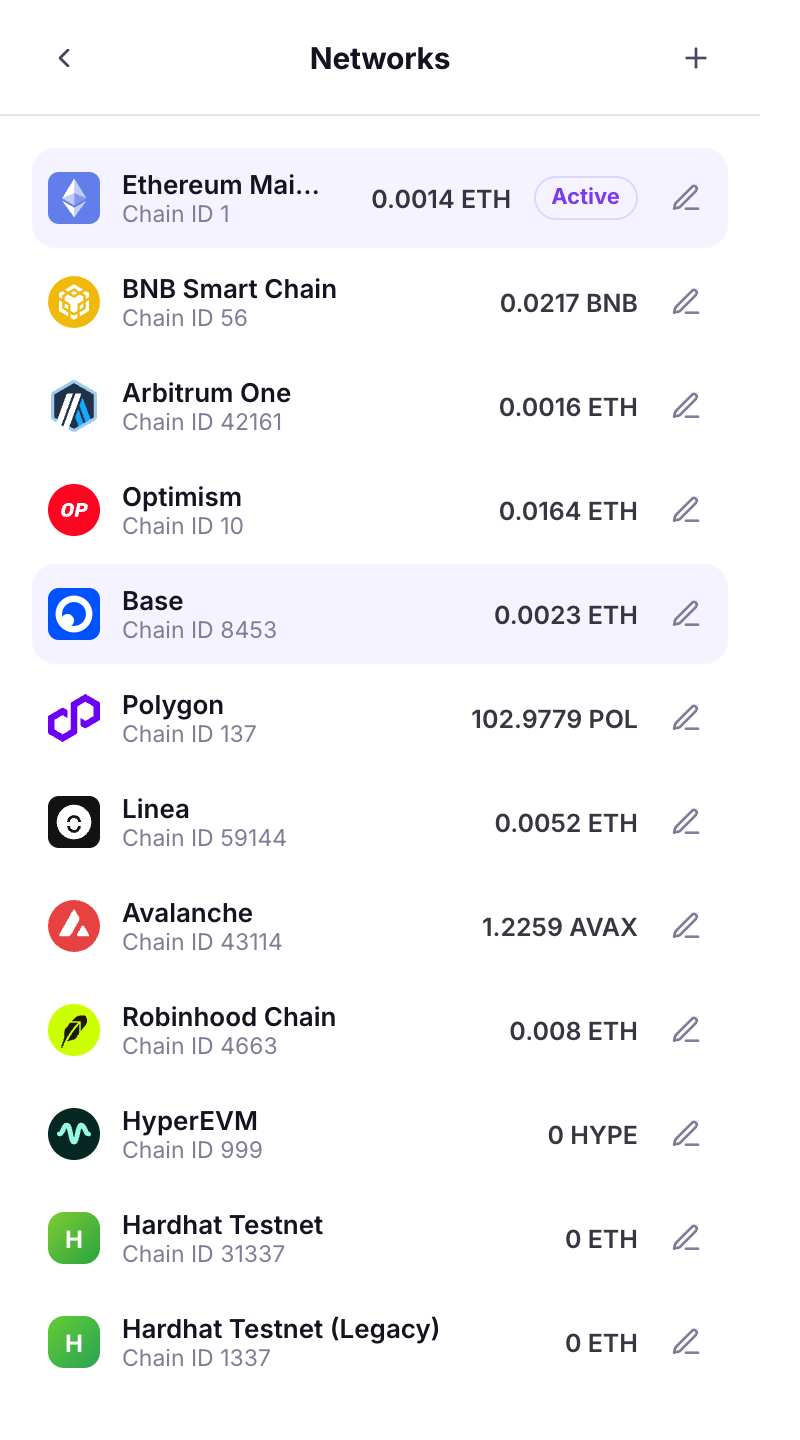
**Change the network sites use** at the bottom of the picker opens the full **Networks** screen: every EVM network with its balance, the **Active** one websites see, and the non-EVM chains below. Test networks (Tron Shasta, Solana / Sui / Stellar testnets) are listed there too.

<figure><img src="https://3674012151-files.gitbook.io/~/files/v0/b/gitbook-x-prod.appspot.com/o/spaces%2FT2jyfPJ4rcVavAvTU9nL%2Fuploads%2Fgit-blob-3fcae2bdfa153017cc3b8c269f63fa1c8a0f7e03%2F02-show-testnets.png?alt=media" alt="show testnets"><figcaption><p>The Networks screen, with the network websites currently use marked Active.</p></figcaption></figure>
{% endstep %}

{% step %}

### Add or edit a network

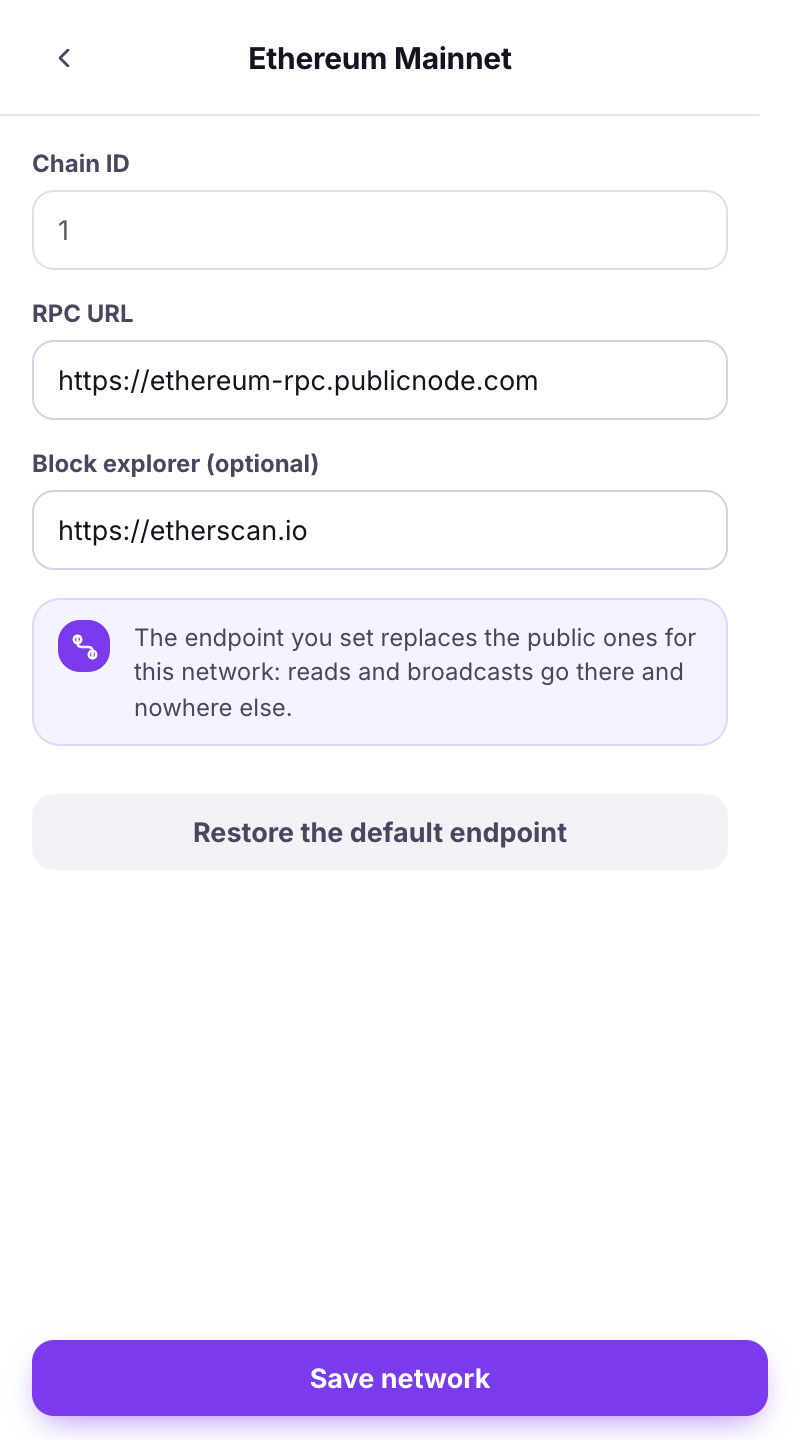
**Add a network**: fill in **Network name**, **RPC URL**, **Chain ID**, **Currency symbol** and optionally a **Block explorer**, then **Save network**. On a built-in network you can set a **Custom endpoint**: *the endpoint you set replaces the public ones for this network*. **Restore the default endpoint** undoes it.

<figure><img src="https://3674012151-files.gitbook.io/~/files/v0/b/gitbook-x-prod.appspot.com/o/spaces%2FT2jyfPJ4rcVavAvTU9nL%2Fuploads%2Fgit-blob-c87795ff1393f77567e411fd31ebe2212643c88a%2F03-add-custom.png?alt=media" alt="add custom"><figcaption><p>Editing a built-in network: chain id, RPC URL and explorer, with Restore the default endpoint.</p></figcaption></figure>
{% endstep %}

{% step %}

### "Add network request" from a site

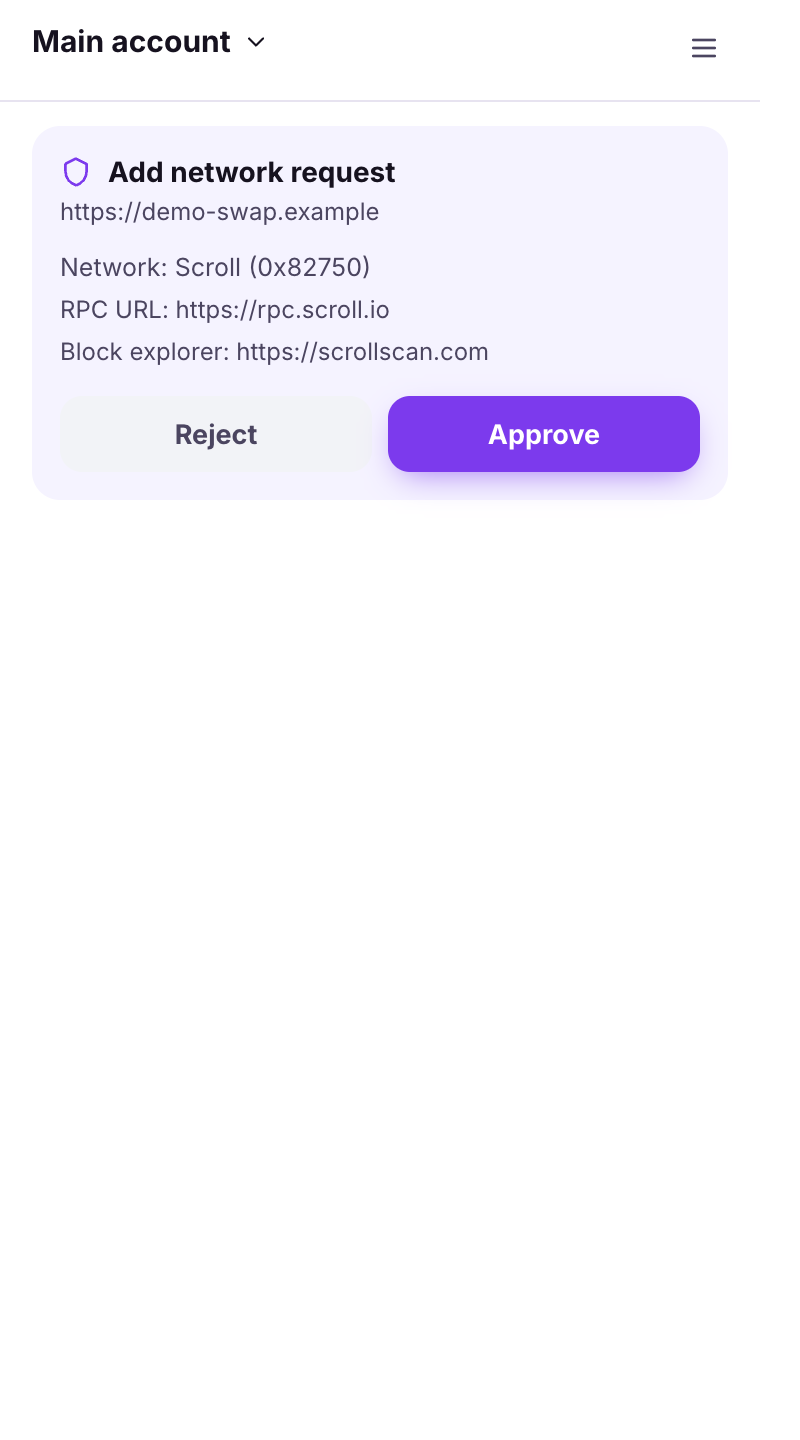
A website can ask to add a network. The wallet shows the **RPC URL** and chain details. **Approve** only if you expected it and the RPC looks legitimate. *The RPC must resolve to a public host*: private and local addresses are refused automatically.

<figure><img src="https://3674012151-files.gitbook.io/~/files/v0/b/gitbook-x-prod.appspot.com/o/spaces%2FT2jyfPJ4rcVavAvTU9nL%2Fuploads%2Fgit-blob-3efbb1fa81225572325174d90e67a881c92670f6%2F04-add-request.png?alt=media" alt="add request"><figcaption><p>A site asking to add a network.</p></figcaption></figure>
{% endstep %}

{% step %}

### "Network switch request" from a site

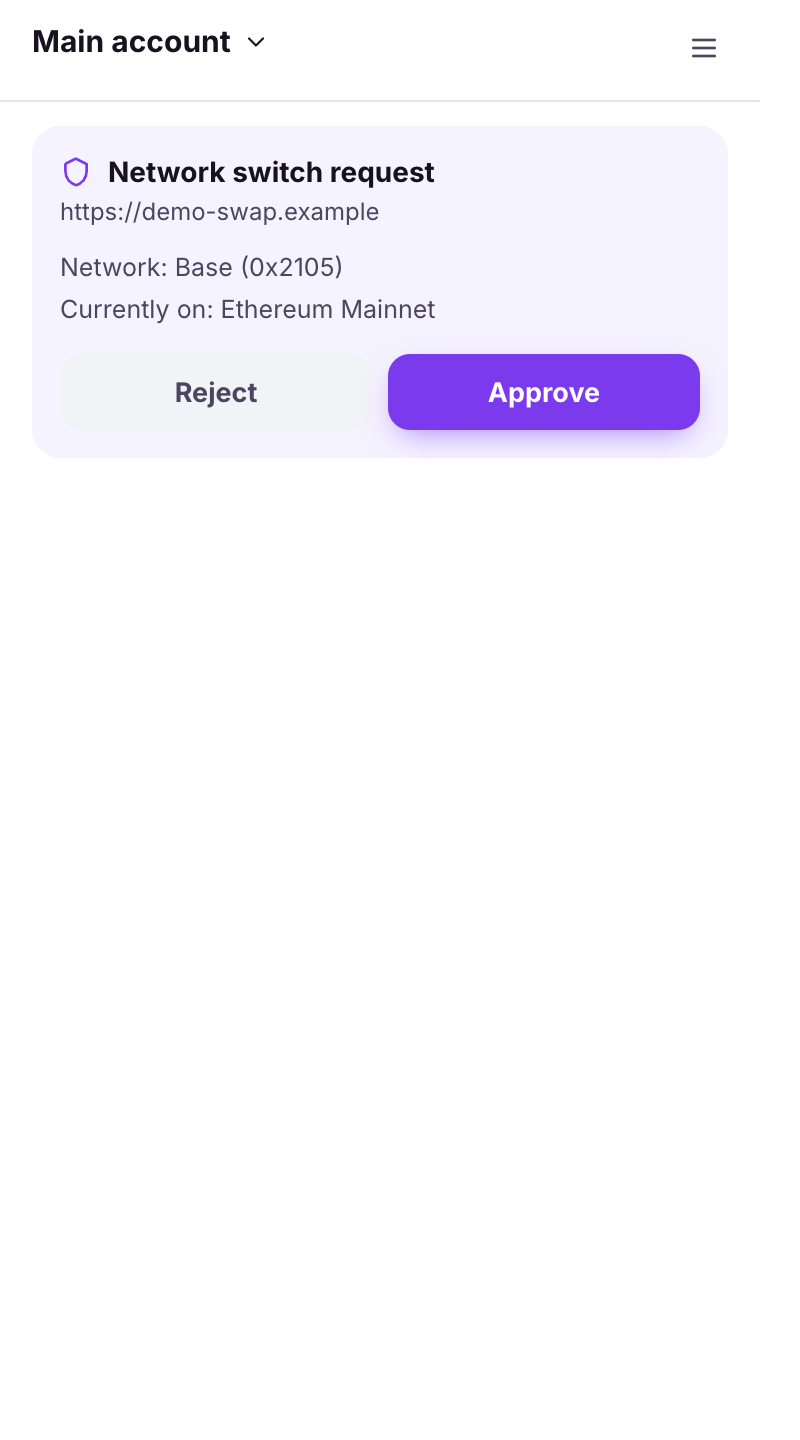
Sites also ask to switch. The wallet shows *Currently on X* and the target. **Approve** or **Reject**. The banner **Sites use {network}** on Home reminds you which network websites currently see.

<figure><img src="https://3674012151-files.gitbook.io/~/files/v0/b/gitbook-x-prod.appspot.com/o/spaces%2FT2jyfPJ4rcVavAvTU9nL%2Fuploads%2Fgit-blob-f6d177ab3f0416e73675192c0de2688c9b759a55%2F05-switch-request.png?alt=media" alt="switch request"><figcaption><p>A site asking to switch network.</p></figcaption></figure>
{% endstep %}
{% endstepper %}

{% hint style="info" %}
Non-EVM chains (Bitcoin, Solana, Tron, Sui, Stellar) are not in this picker. They live under **Other networks** on Home, each with its own address.
{% endhint %}

## Learn more

* [Supported networks & chains](/reference/supported-networks.md)


---

# Agent Instructions
This documentation is published with GitBook. GitBook is the documentation platform designed so that both humans and AI agents can read, navigate, and reason over technical content effectively. Learn more at gitbook.com.

## Querying This Documentation
If you need additional information that is not directly available in this page, you can query the documentation dynamically by asking a question.

Perform an HTTP GET request on the current page URL with the `ask` query parameter, and the optional `goal` query parameter:

```
GET https://doc.lockerprotocol.com/browser-extension/networks.md?ask=<question>&goal=<endgoal>
```

`ask` is the immediate question: it should be specific, self-contained, and written in natural language.
`goal` is optional and describes the broader end goal you are ultimately trying to accomplish on behalf of the user. GitBook uses it to tailor the answer towards what is most useful for that goal.

The response will contain a direct answer to the question and relevant excerpts and sources from the documentation.

Use this mechanism when the answer is not explicitly present in the current page, you need clarification or additional context, or you want to retrieve related documentation sections.